
Overview
BooksForAll gives your server a shared library of player-written books. It's built for worldbuilding: lore, histories, guild records, news and stories that live inside the game.
The library
One shared collection of player-written books, opened with /library. Name it anything: "King's Library", "Universal Library".
Book and Quill
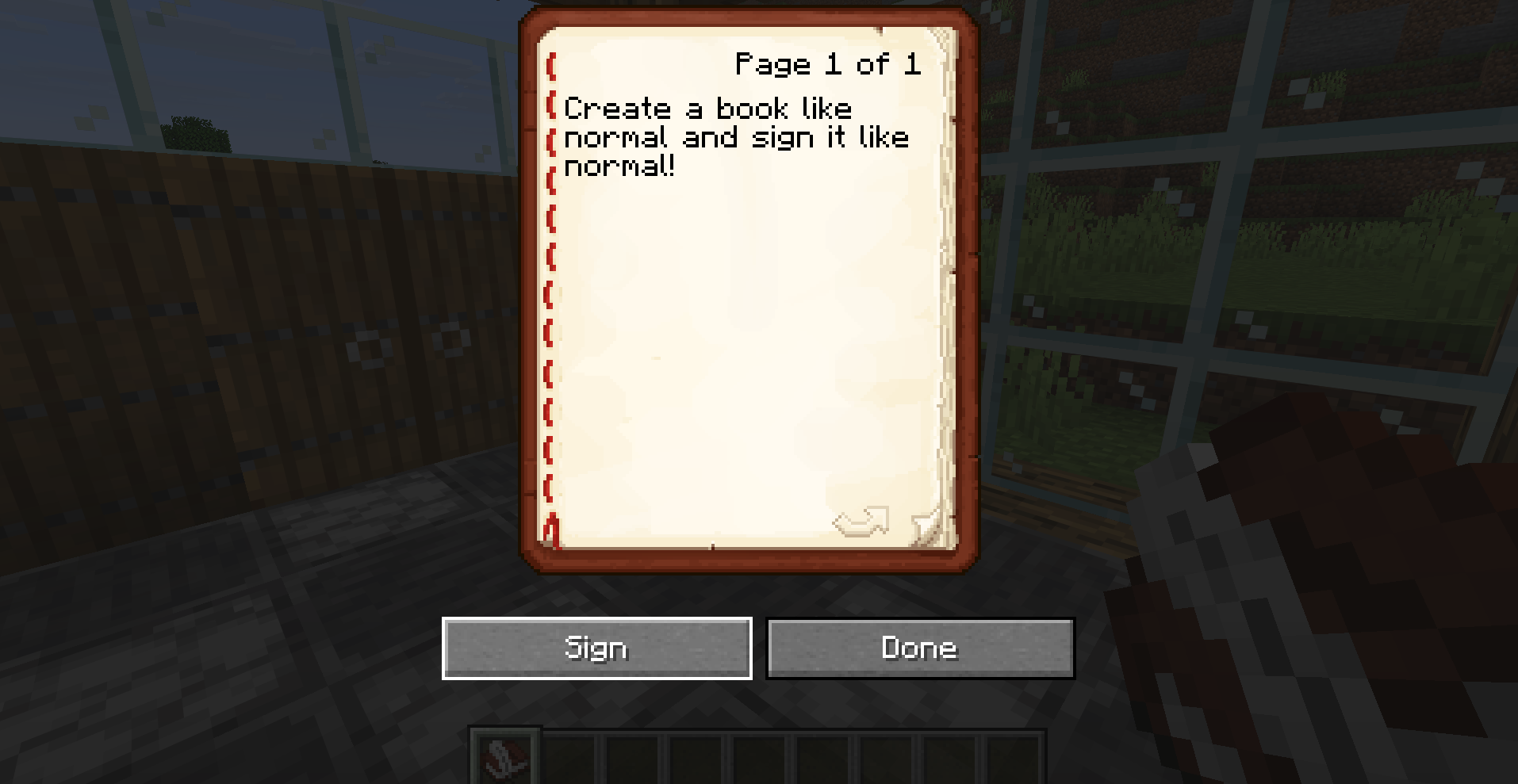
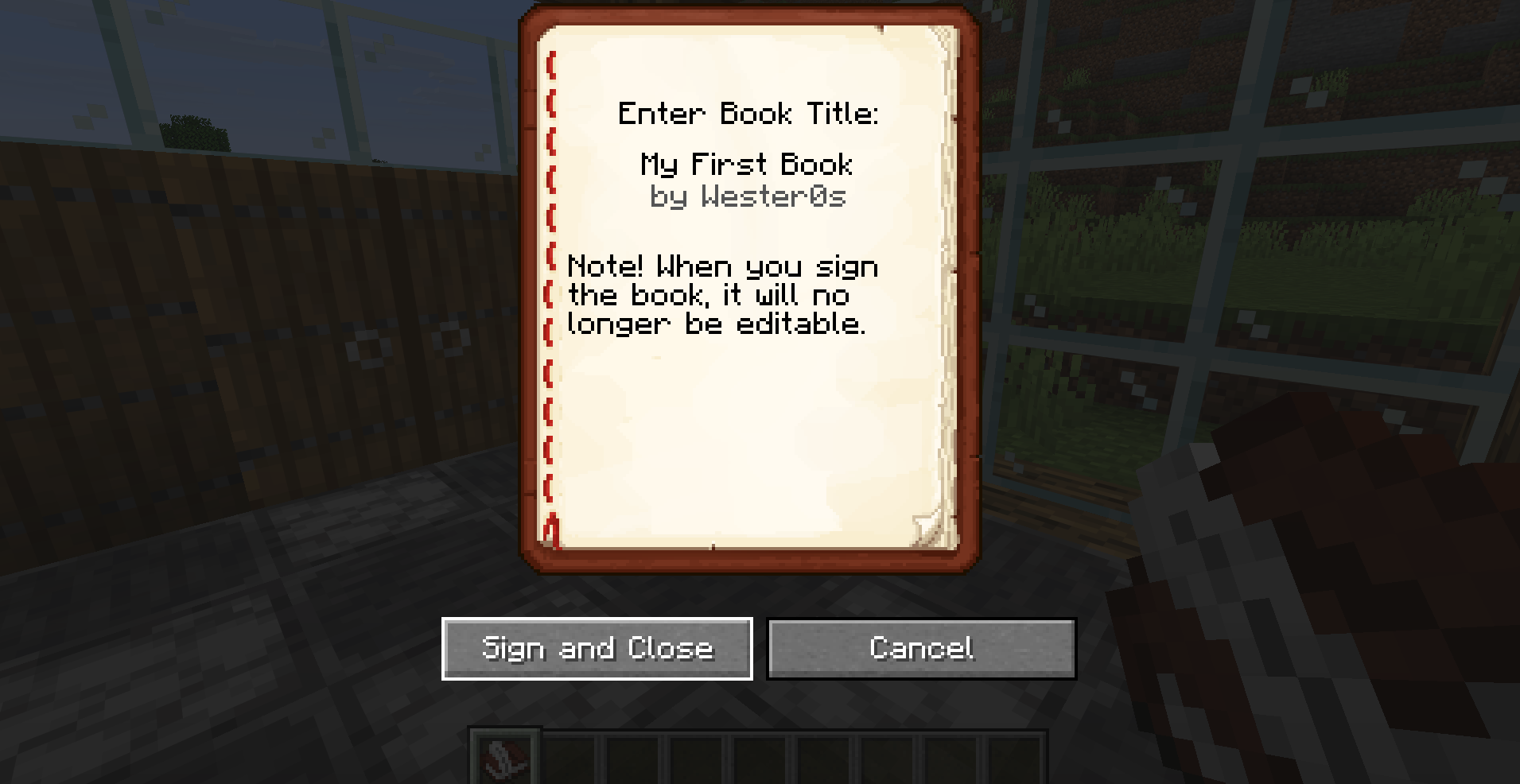
Players write the normal way. Signing opens a menu: publish, sign privately, or keep writing.
Versions
Republishing creates Version 2, 3 and so on. Older versions stay readable. The word "Version" is configurable.
Read-only books
Everyone reads published books as locked, signed books. Only the author can edit.
Votes & Hot Topics
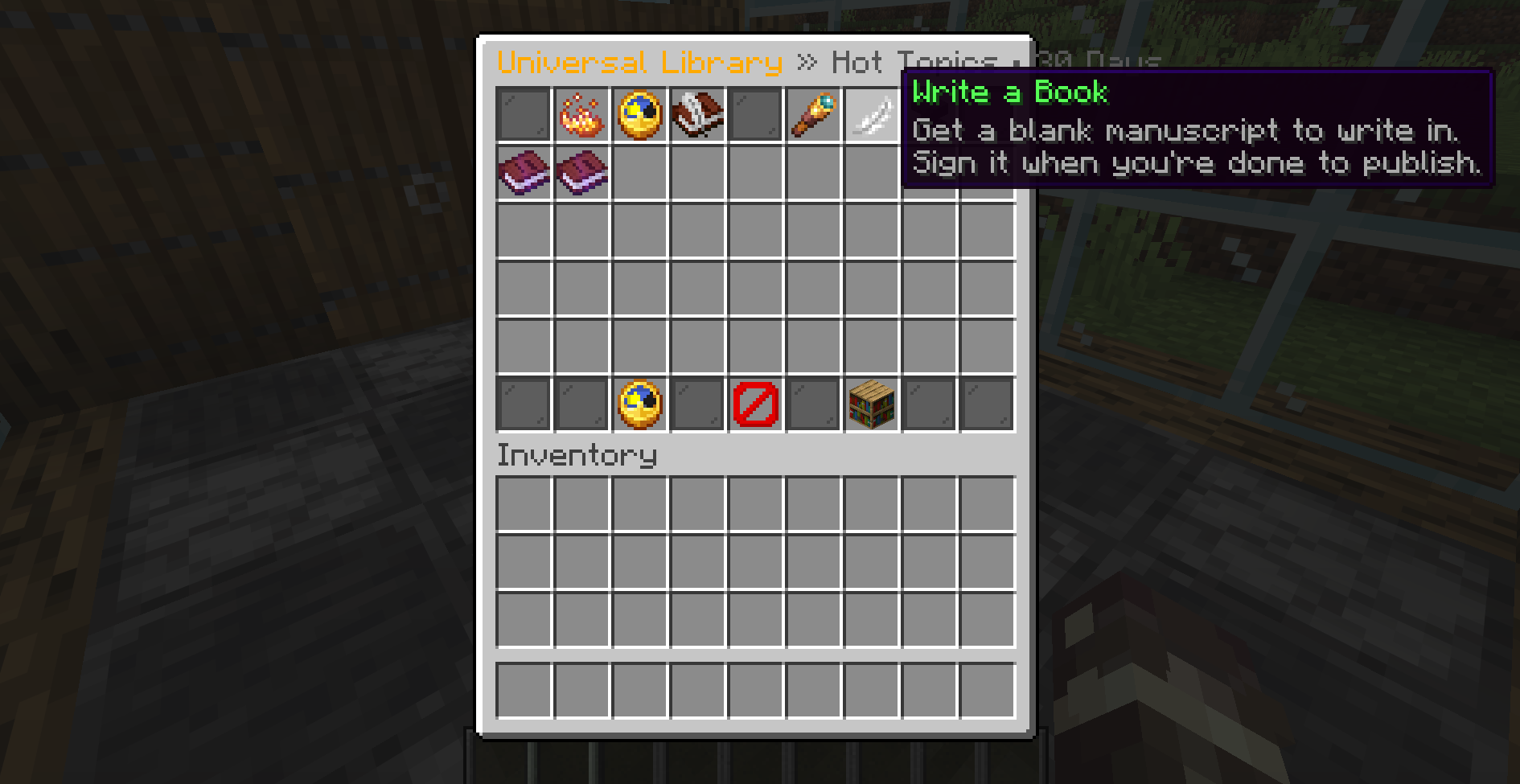
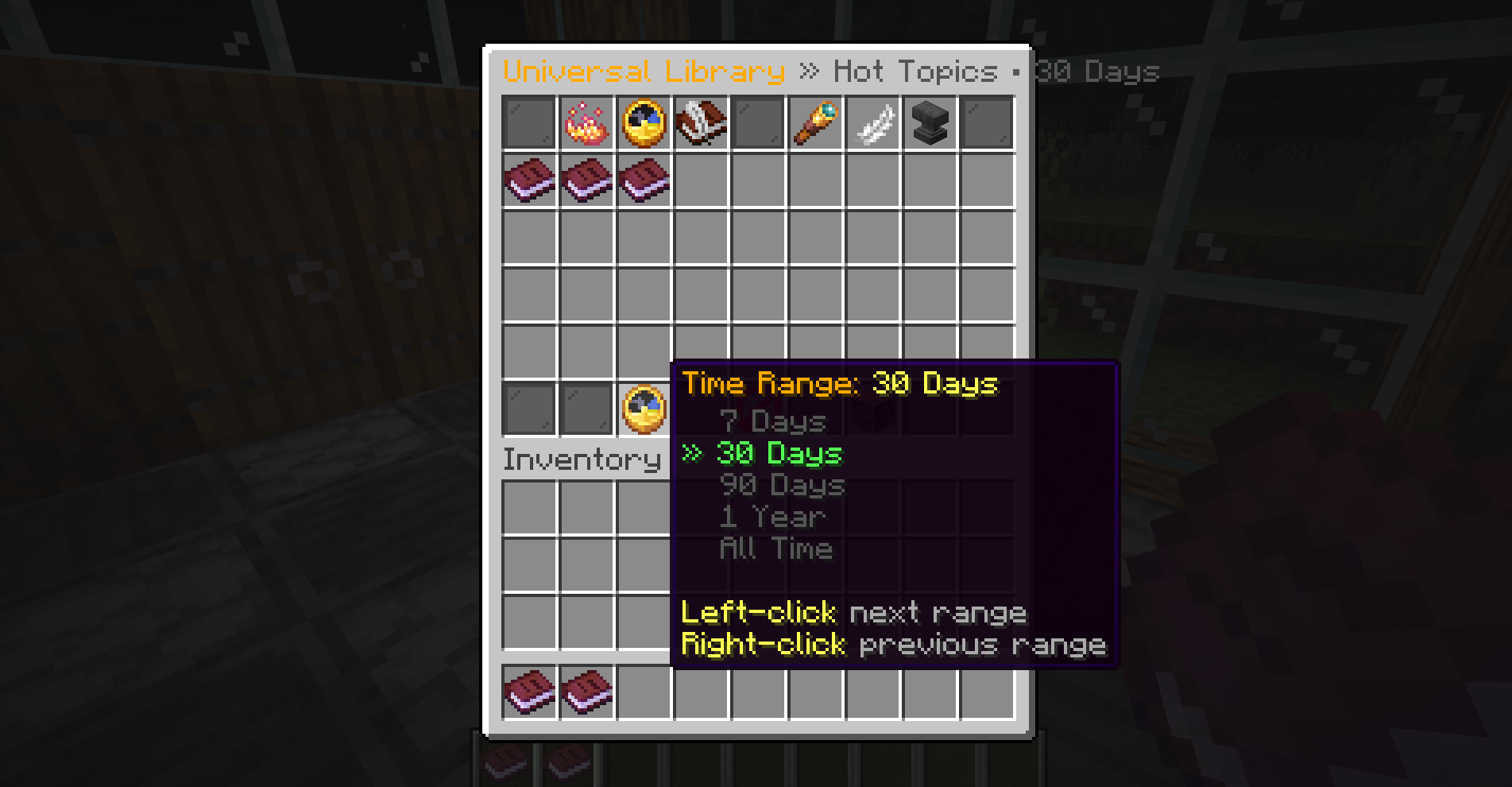
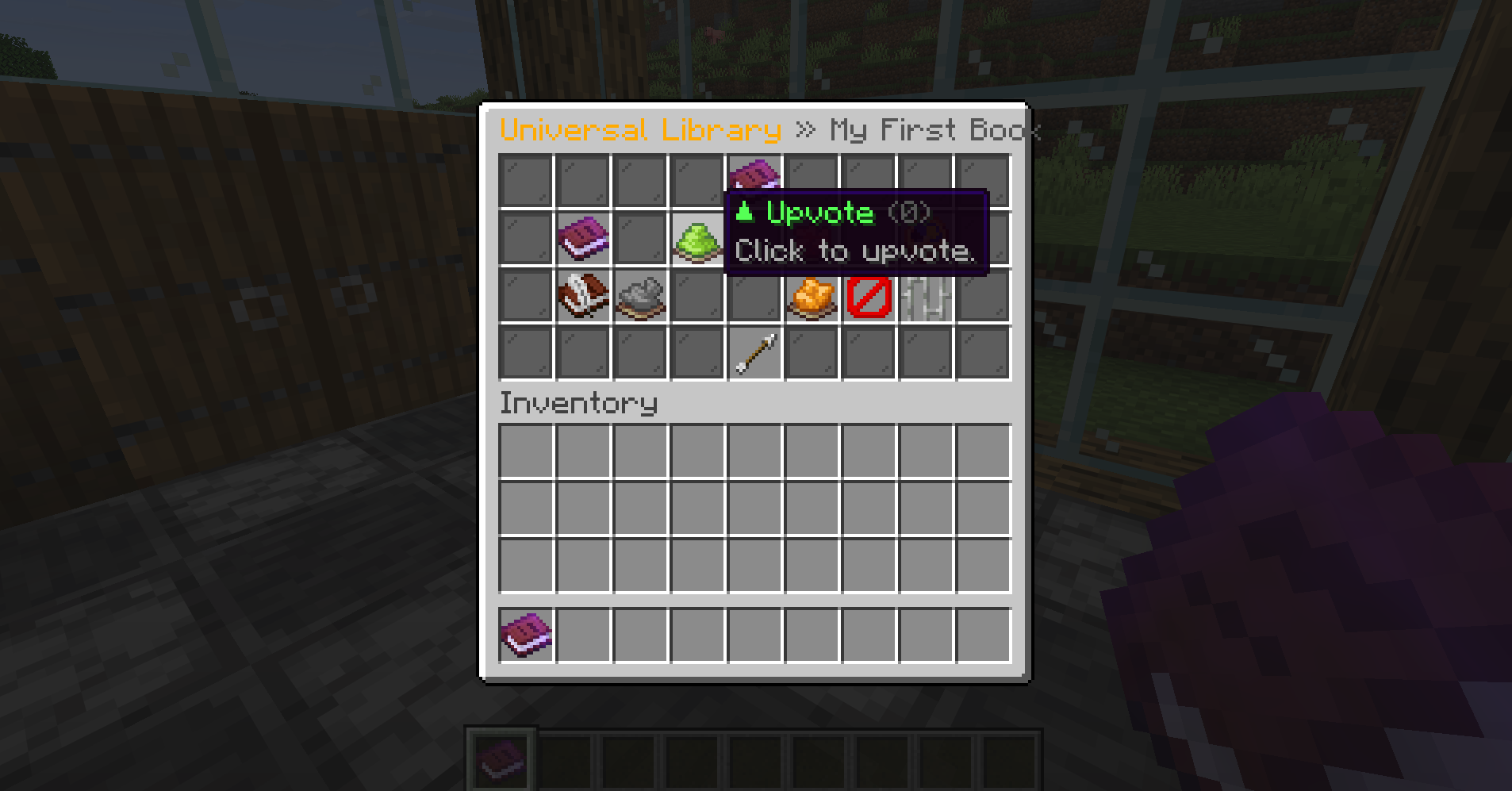
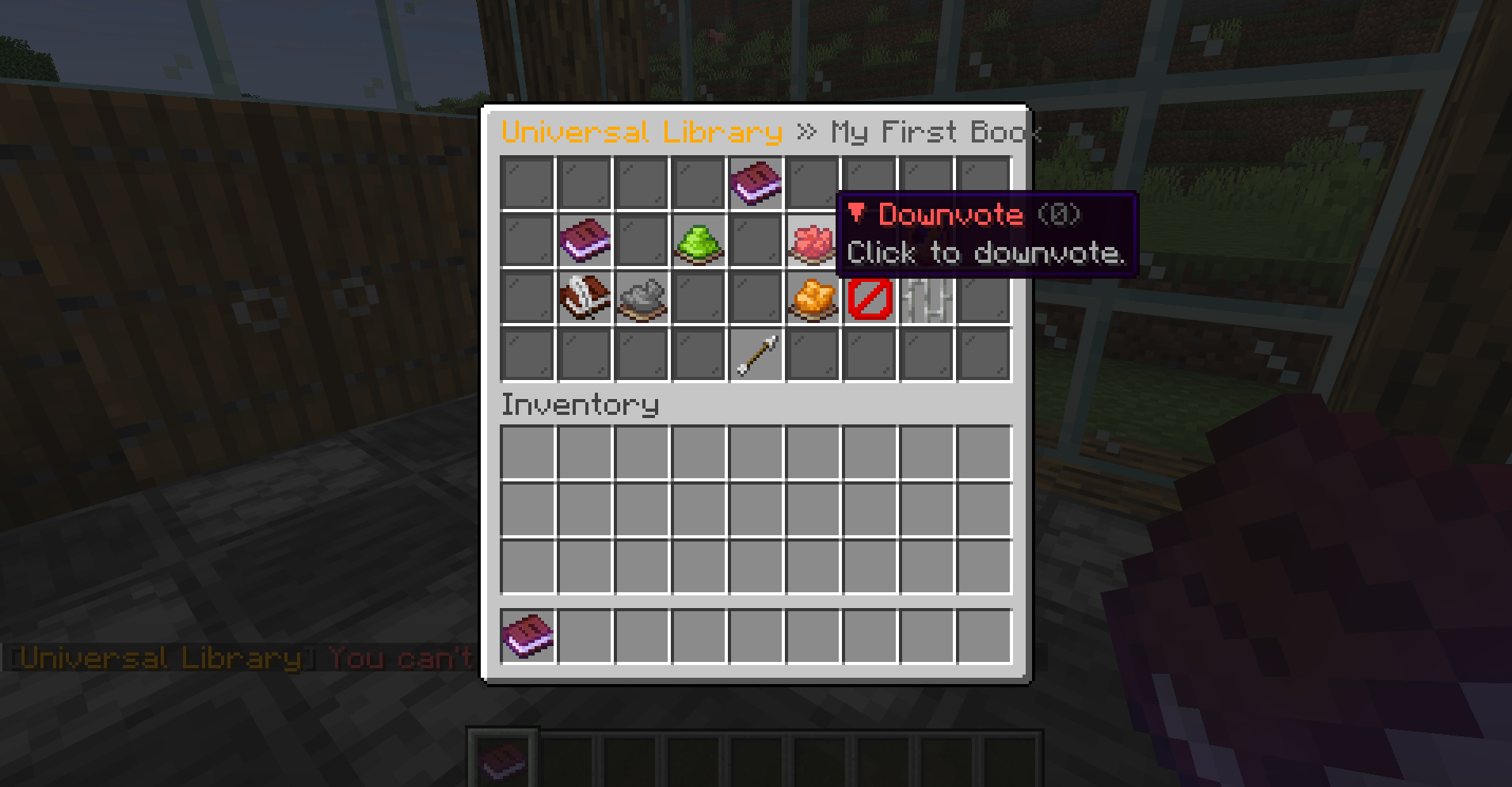
Upvote and downvote books. Hot Topics ranks the best over 7 days, 30 days, 90 days, 1 year or all time.
Anonymous & organizations
Authors can hide their name and list a guild, faction or sponsor. Both can be turned off.
Moderation
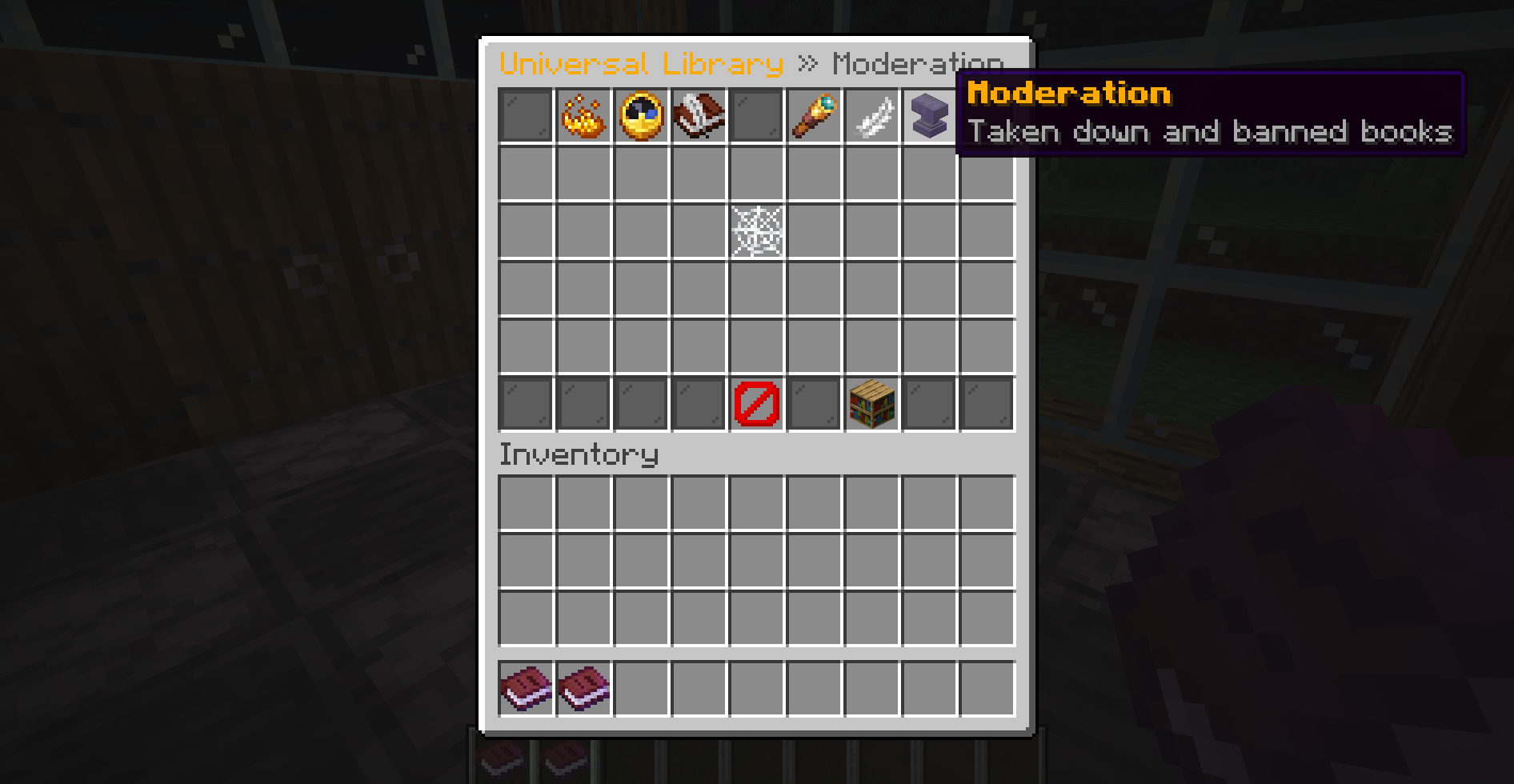
Staff can take down, ban or permanently delete books and stop players from publishing.
Downloads
Every version of BooksForAll is included with your purchase. Use the version built for your server's Minecraft version.
Already purchased? Log in to download any version. New here? Every version is included with your purchase.
| Version | Minecraft | Released | Size | |
|---|---|---|---|---|
1.1.0
Latest What's newFull Changelog: https://github.com/rynecallahan019/BooksForAll/commits/v1.1.0 |
26.3 | October 28, 2026 | 103 KB | Locked |
1.0.0
What's newFull Changelog: https://github.com/rynecallahan019/BooksForAll/commits/v1.0.0 |
— | October 28, 2026 | 103 KB | Locked |
Installation
Needs a Paper server on Minecraft 26.3 running Java 25. There are no other dependencies; LuckPerms or another permissions plugin is optional.
- Stop the server.
- Put
BooksForAll-1.1.0.jarin the server'spluginsfolder. - Start the server. The console should show
[BooksForAll] Loaded 0 books from the library. - Edit
plugins/BooksForAll/config.ymlto name your library and choose your settings. - Run
/library reloadin-game or in the console.
The first start creates config.yml (your settings) and library.db (all library data) in plugins/BooksForAll/.
config.yml automatically.
command.name and command.aliases only apply after a full restart, not a reload.
How it works
Writing and signing
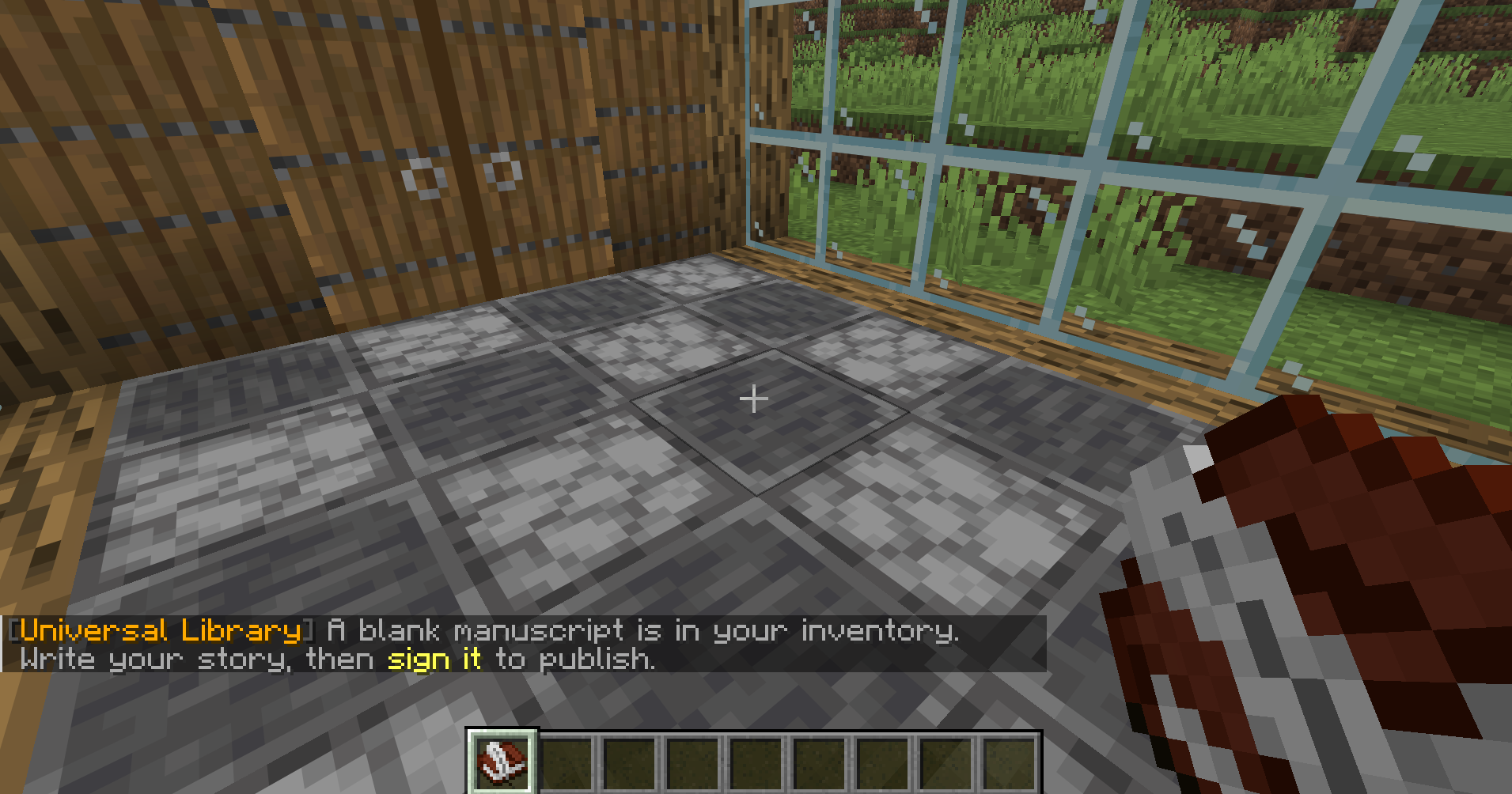
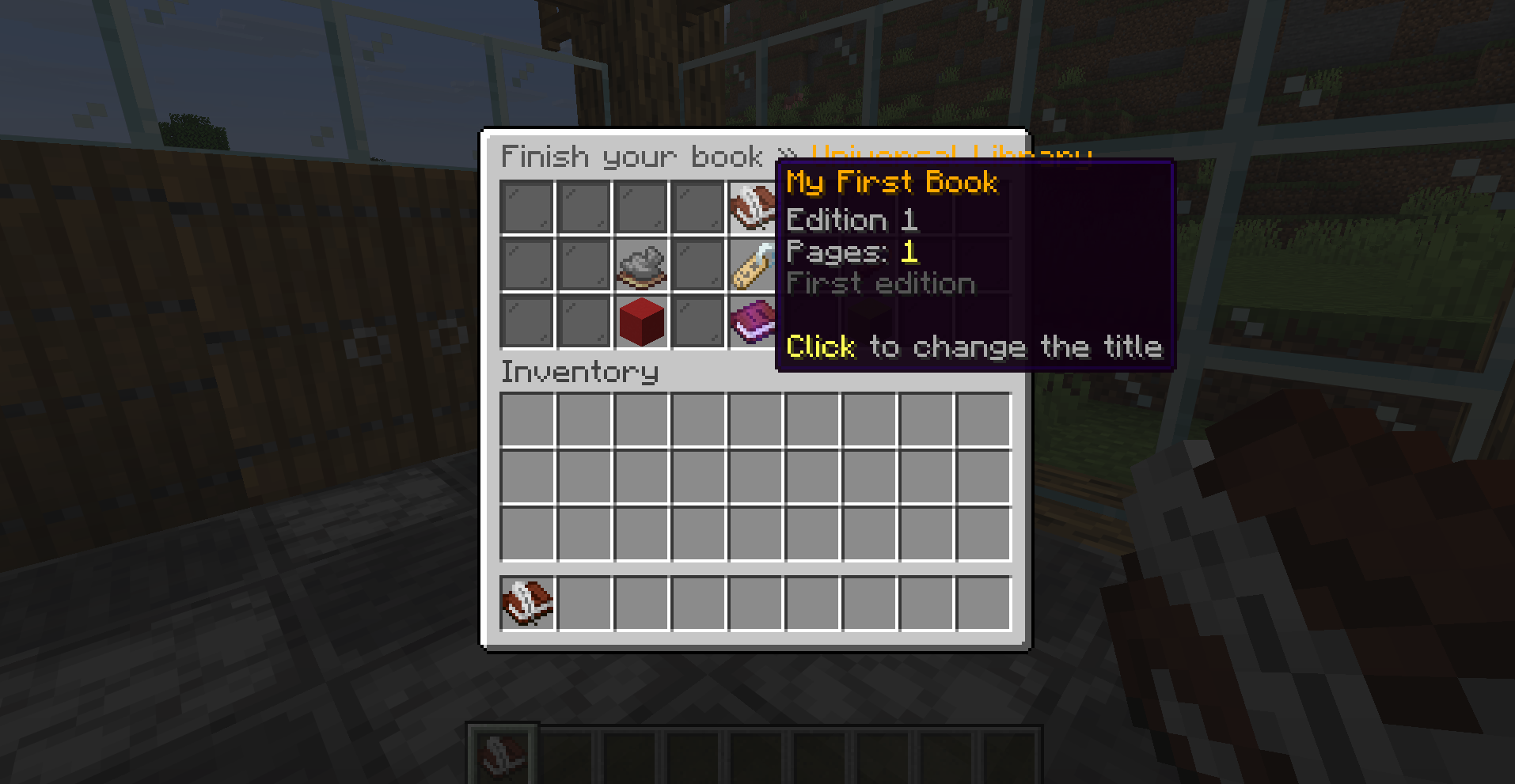
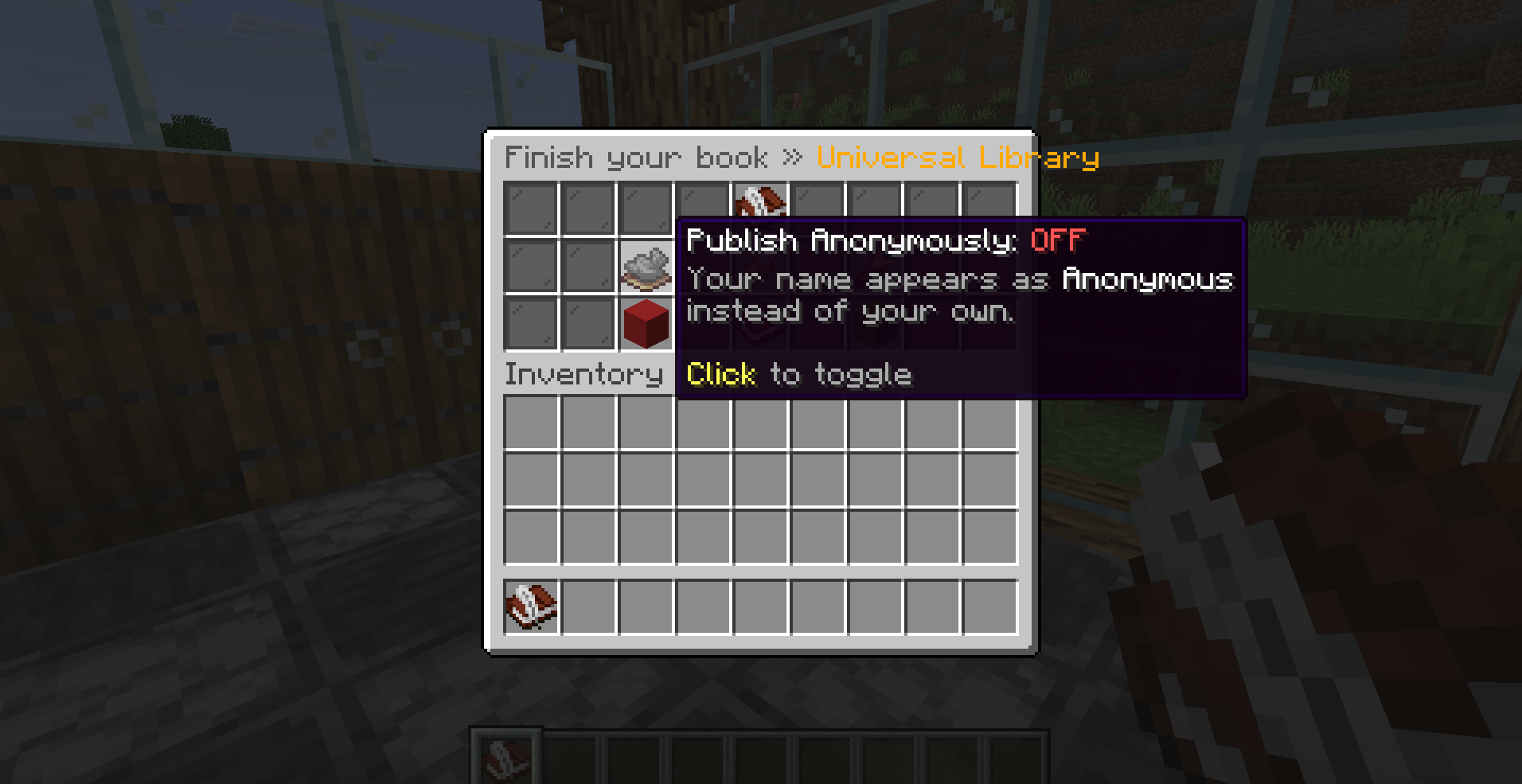
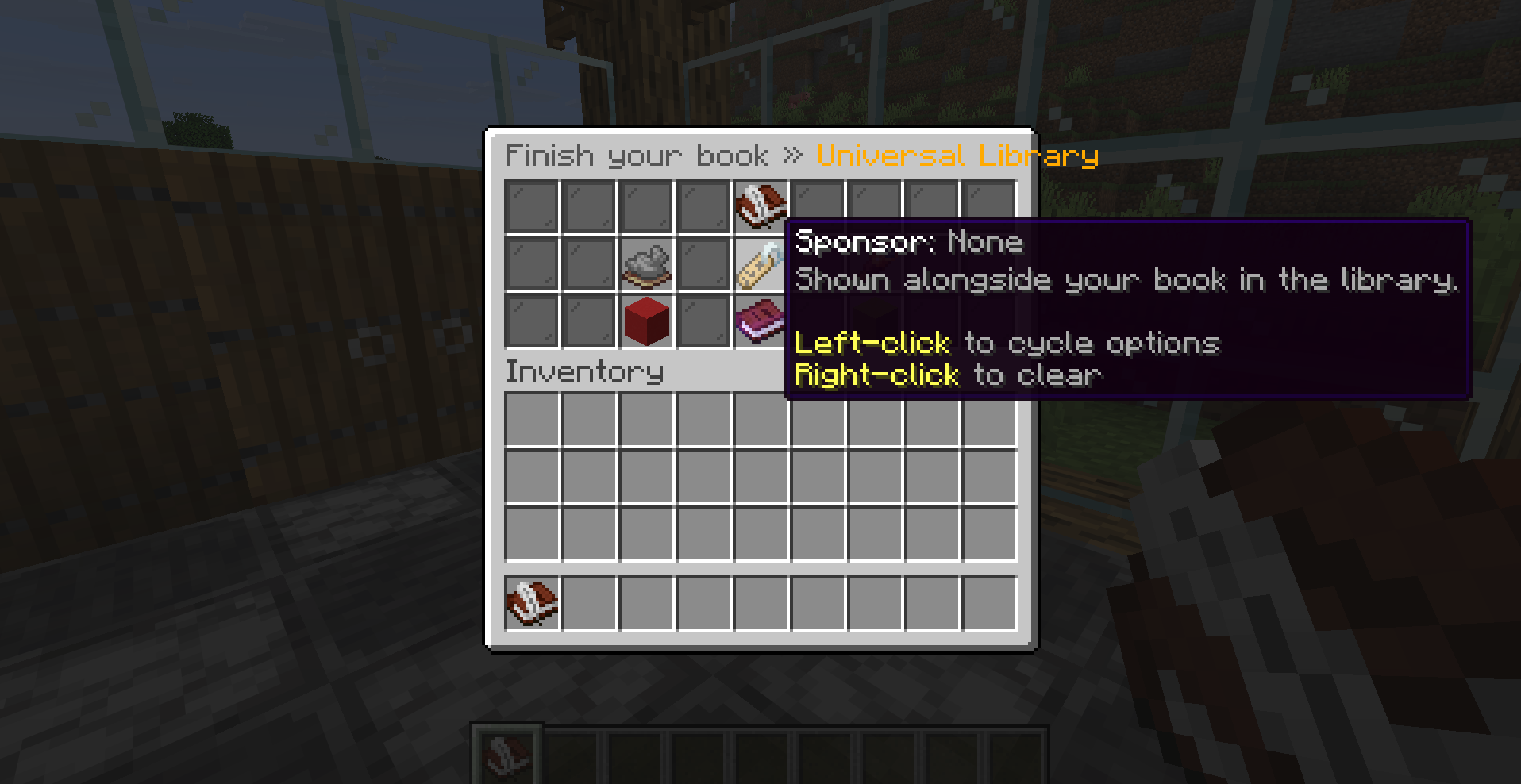
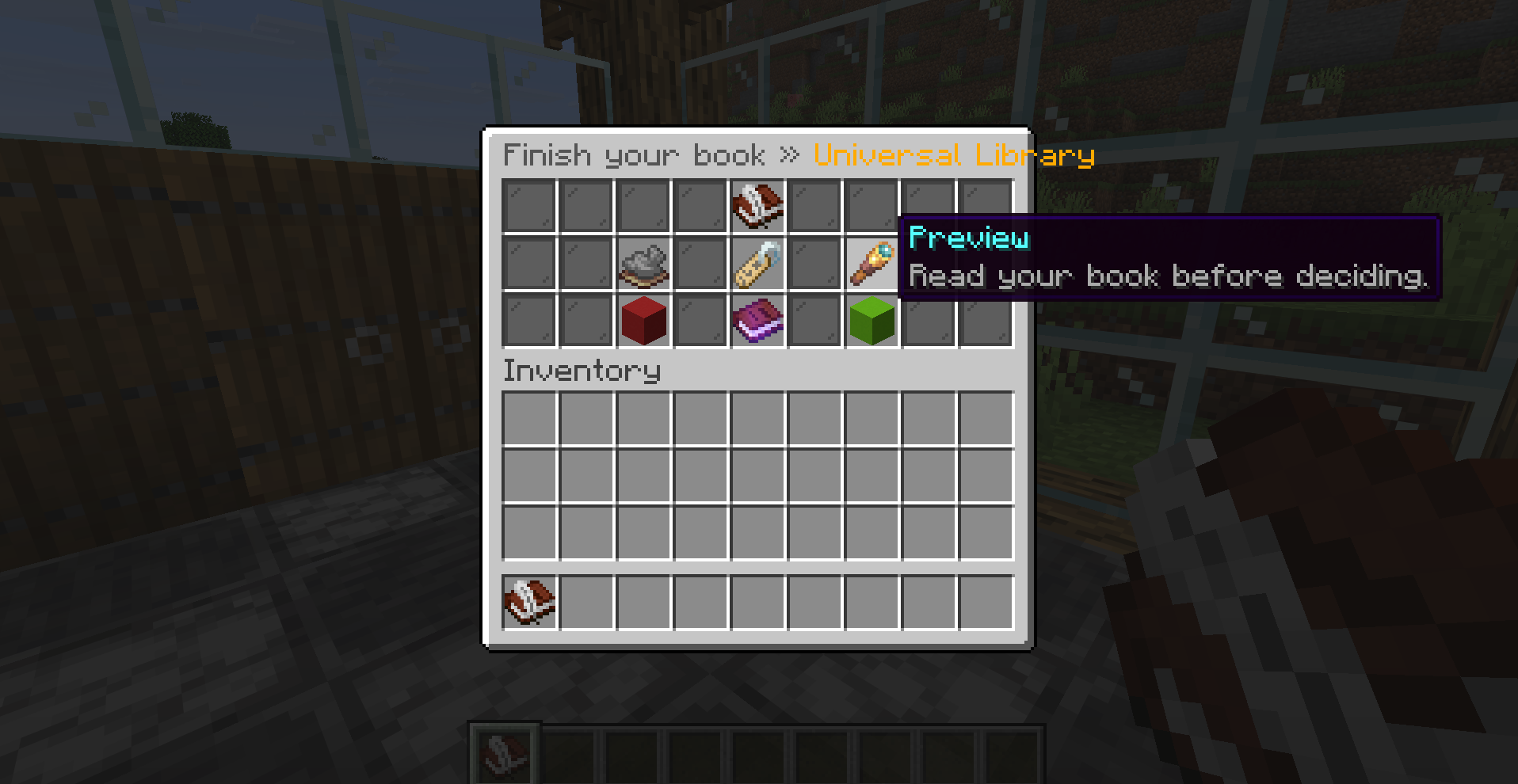
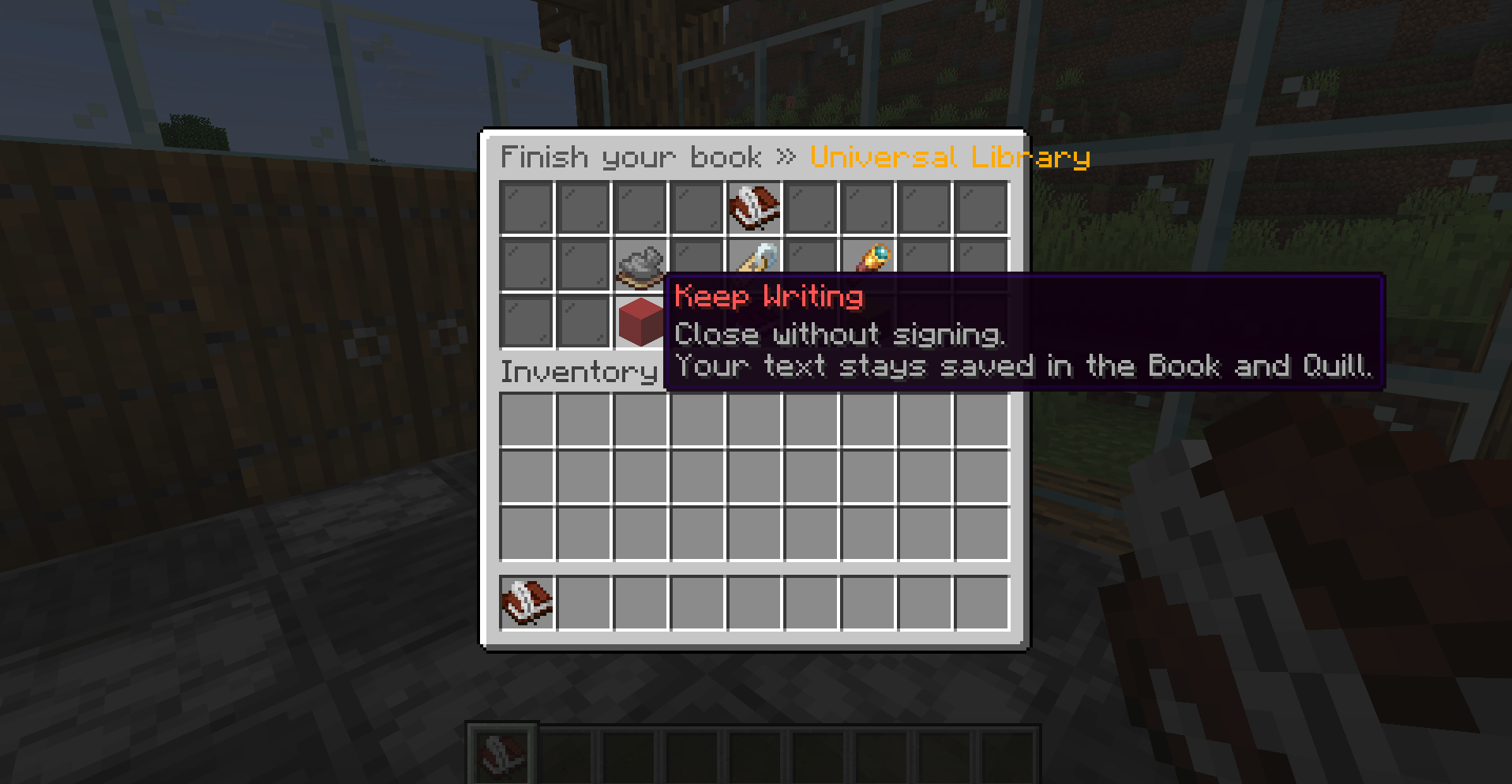
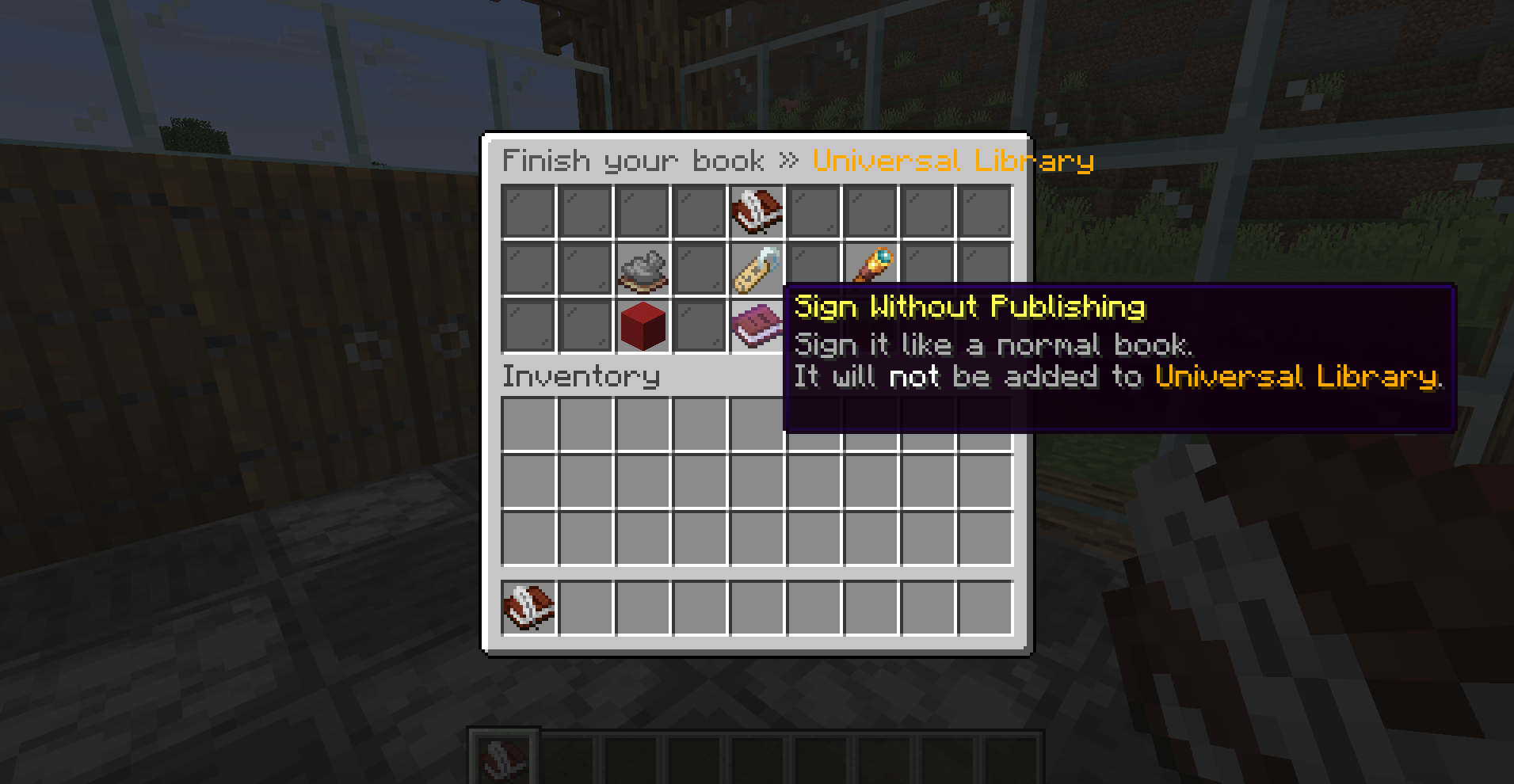
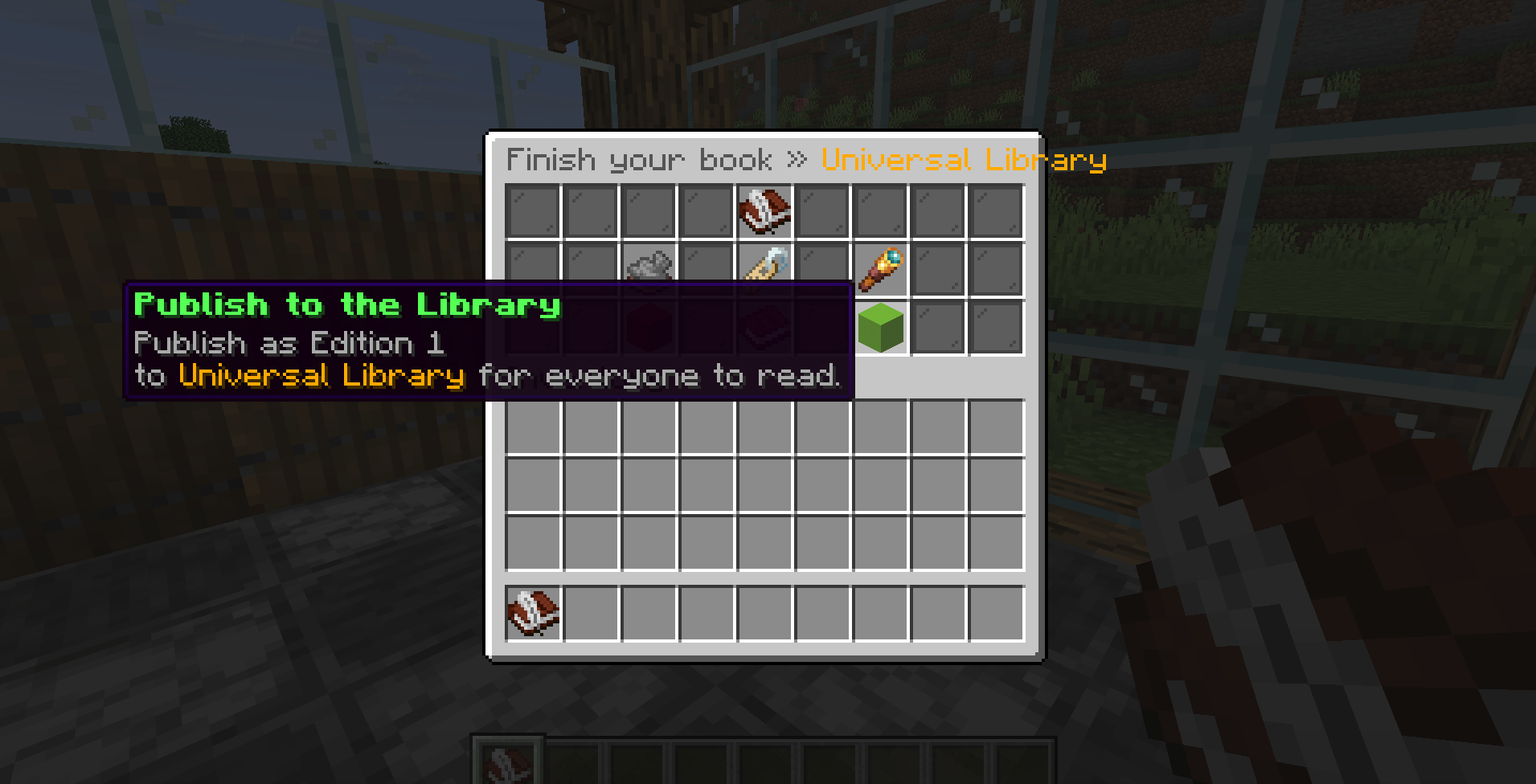
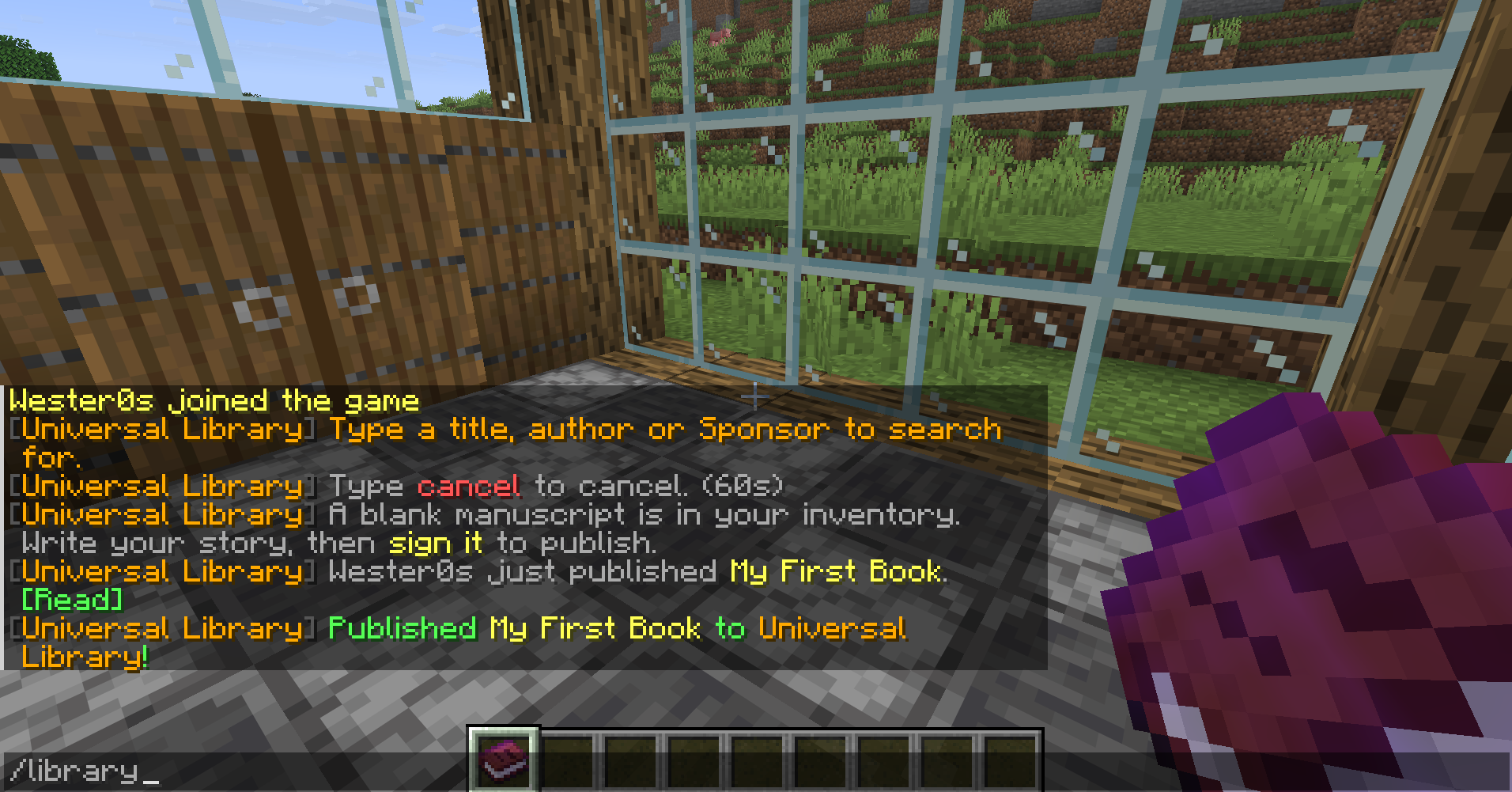
Players write in a Book and Quill: one they crafted, or a free Blank Manuscript from /library write or the Feather button (unless survival mode is on). Clicking Sign opens the Finish your book menu instead of signing right away:

| Button | What happens |
|---|---|
| Title | Rename the book before finishing. |
| Publish Anonymously | Hide the author's name. Only shown if anonymous publishing is enabled. |
| Organization | Attach a guild, faction or sponsor. Only shown if organizations are enabled. |
| Preview | Read the book first. A link on its first page returns to the menu. |
| Keep Writing | Closes the menu. Nothing is signed; all text stays in the Book and Quill. |
| Sign Without Publishing | Signs it as a normal Minecraft book. It is not added to the library. |
| Publish to the Library | Adds the book to the library for everyone to read. |
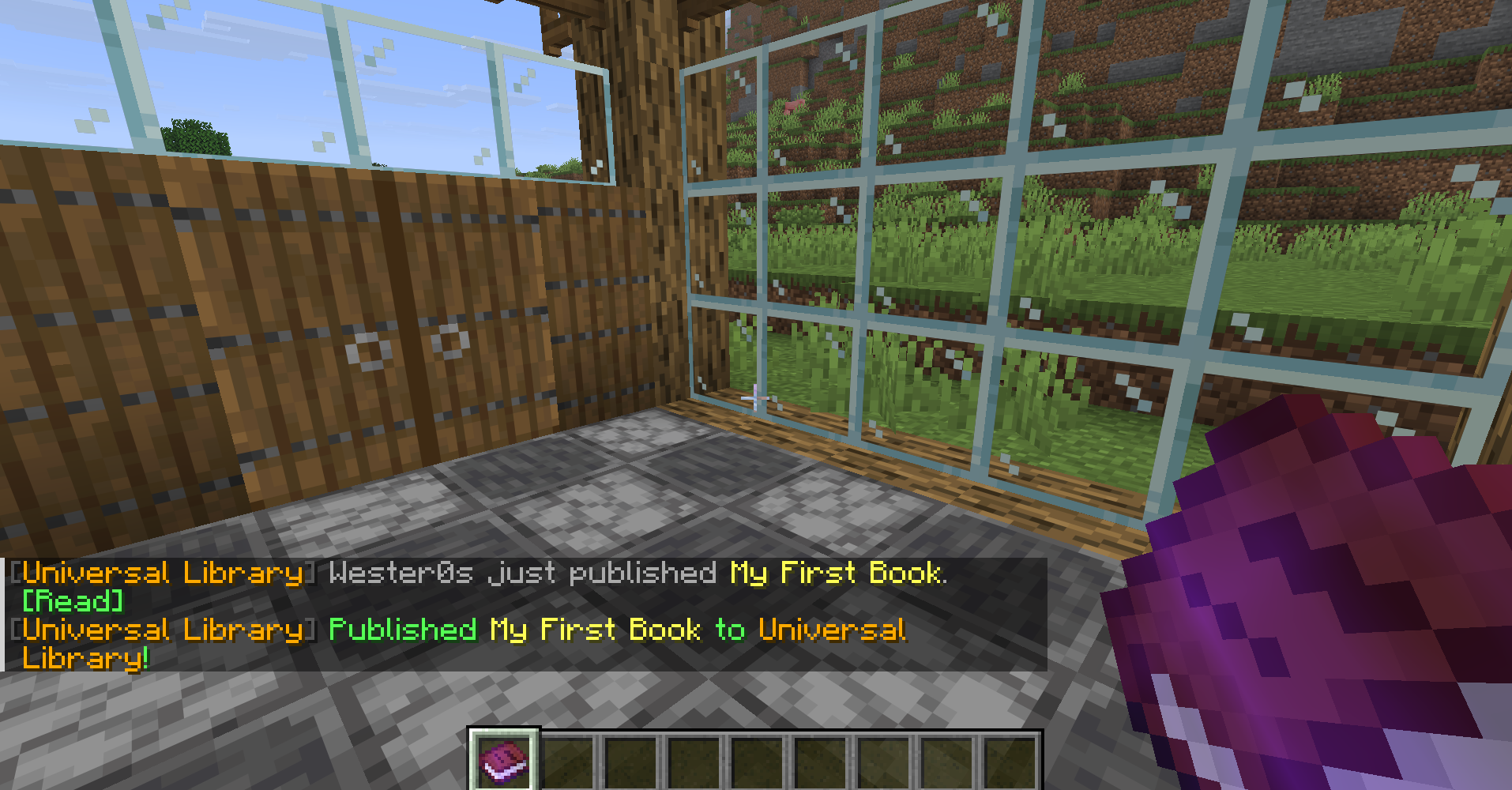
If the menu gets closed by accident, /library publish reopens it. Players without publish permission sign books the normal Minecraft way and never see this menu. After publishing, the Book and Quill becomes the author's signed copy.
Reading
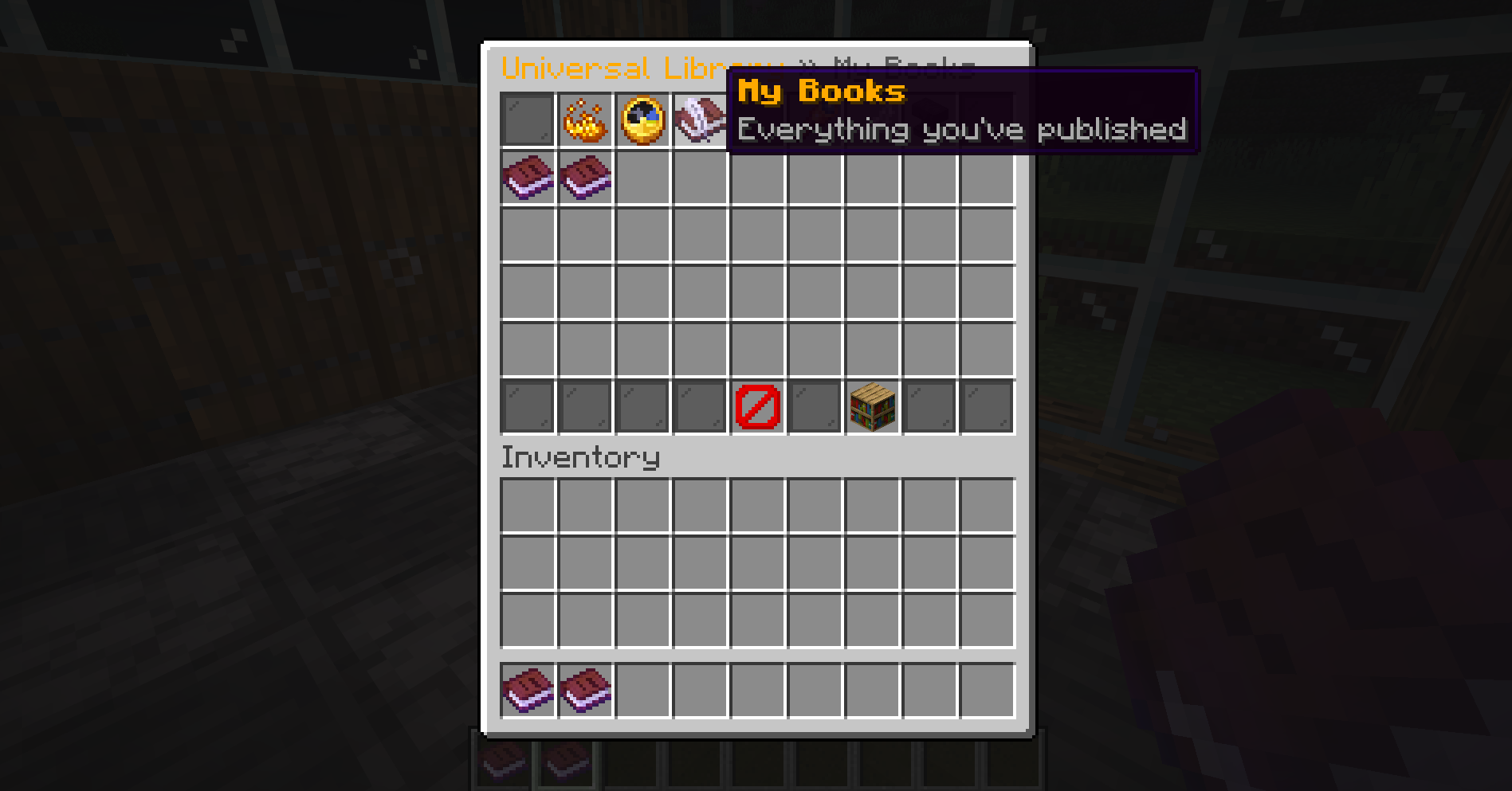
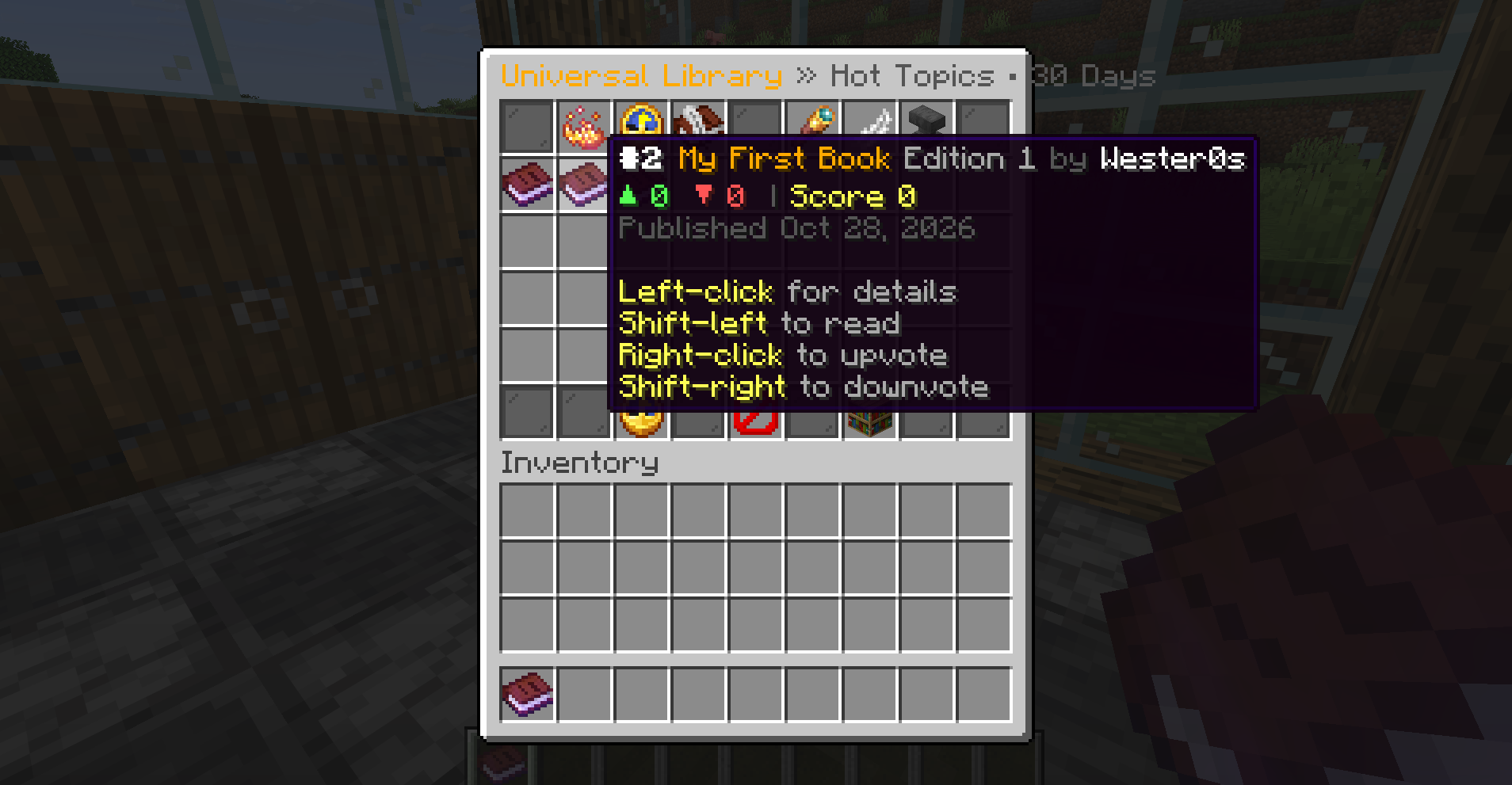
/library opens the menu with tabs for Hot Topics, Newest, My Books and Search.
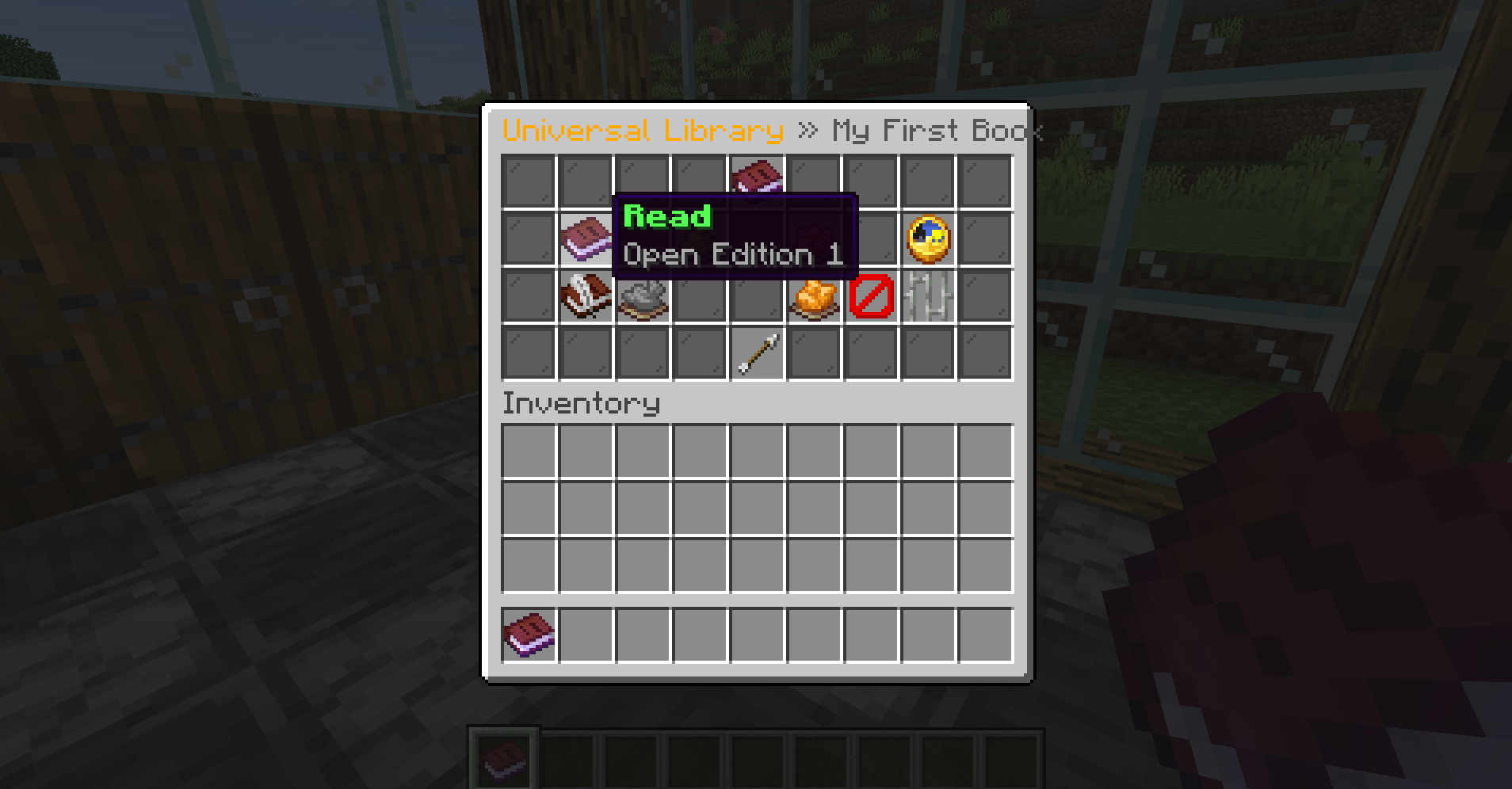
Books always open locked and read-only. The first page is a cover with the title, version, author, organization, date and votes, plus clickable Upvote, Downvote, History, Read Latest and (for the author) Edit buttons.


Editing and versions
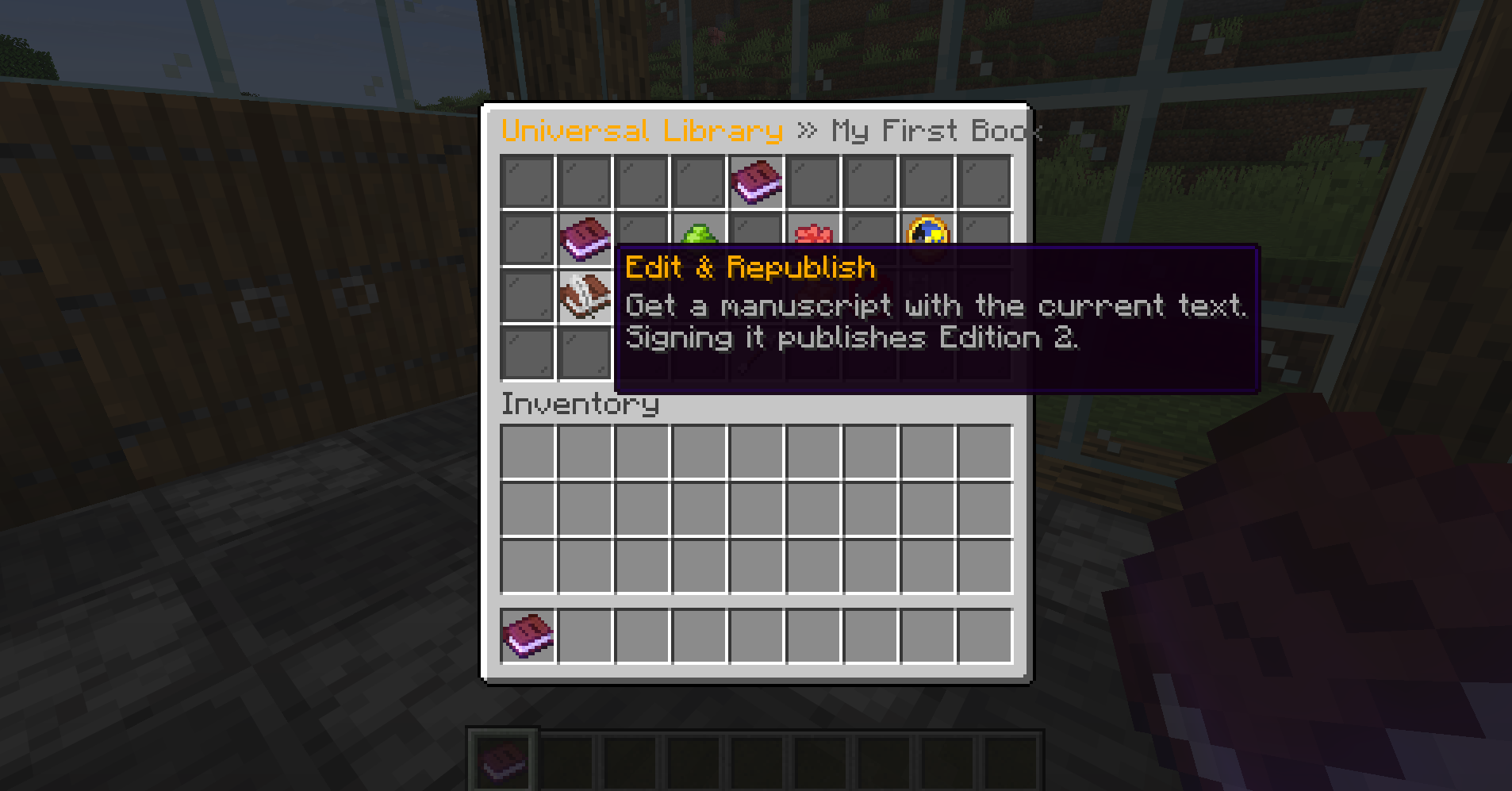
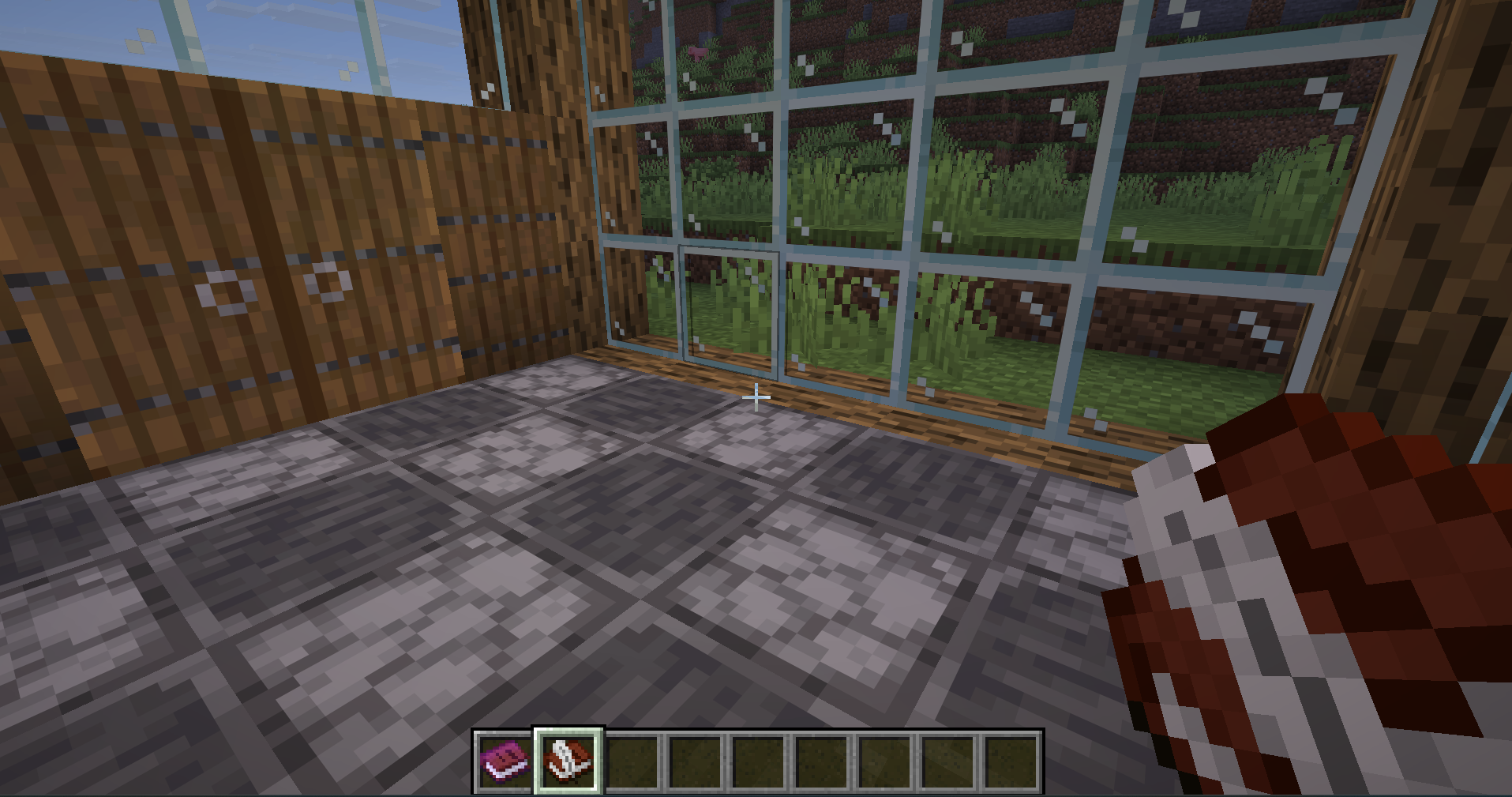
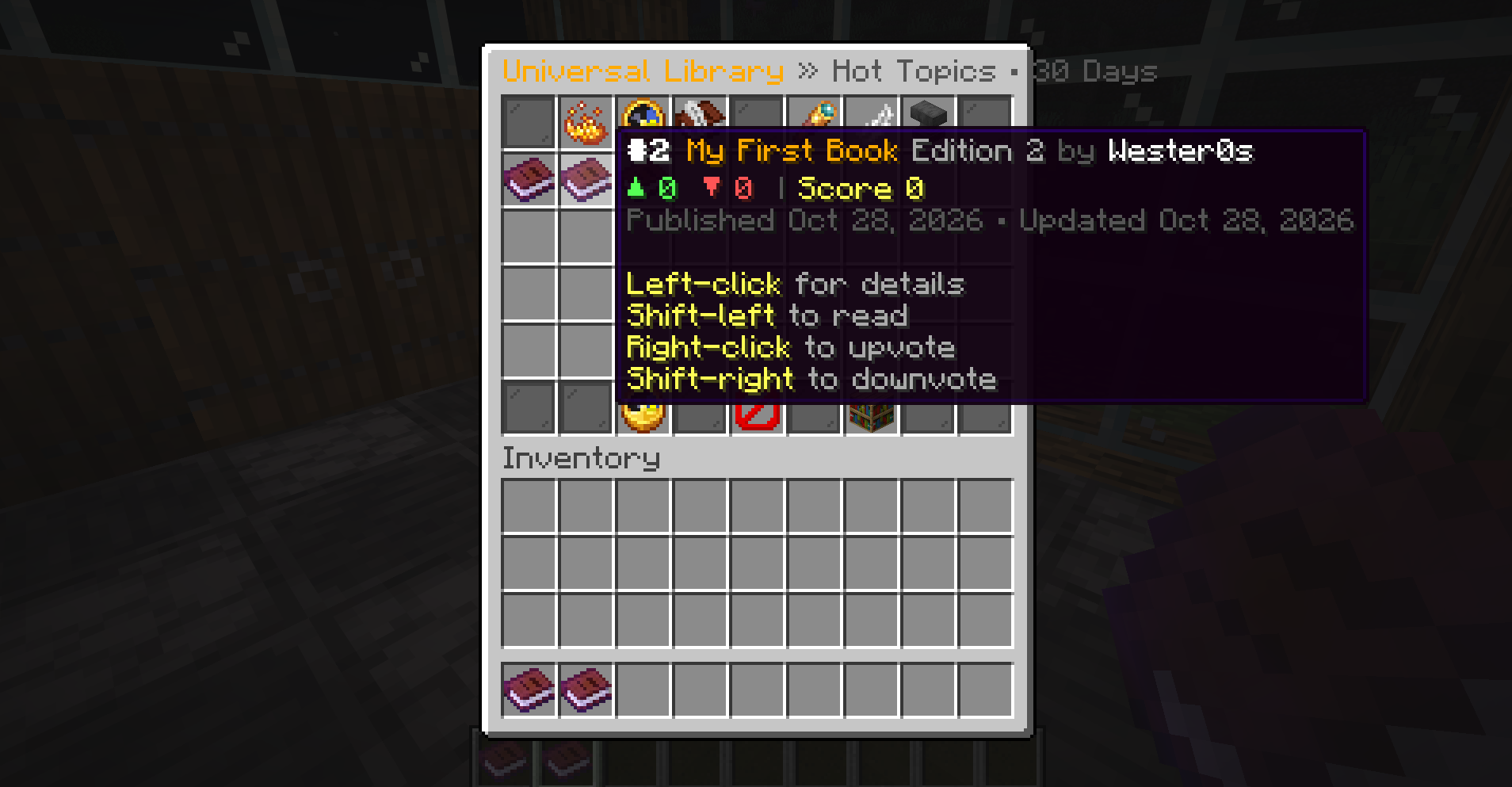
Only the author can edit a book. They click their book, choose Edit & Republish (or run /library edit <id>), and get a manuscript with the latest text. Signing and choosing Publish saves it as the next version. Earlier versions stay readable in Version History, and votes stay with the book. Each book shows as Title Version 2 by Author; the pattern and the word "Version" are configurable.


Voting and Hot Topics
Each player gets one vote per book. Clicking the same vote again removes it; clicking the other switches it. Authors can't vote on their own books unless allow-self-vote is on. Hot Topics lists books first published within the chosen range, highest score first (upvotes minus downvotes). The clock button cycles 7 Days, 30 Days, 90 Days, 1 Year and All Time.
Anonymous publishing
Anonymous books show the configured name (default "Anonymous") instead of the author. The real author is still recorded so they can edit the book, and staff with booksforall.admin.seeanonymous can see who wrote it.
Organizations
Authors can list the organization they write for. It shows on the book's icon and cover, and search matches it. You can rename "Organization", limit it to a fixed list, or turn it off.
Survival mode
Survival mode makes books cost real materials. It's off by default; turn it on with survival-mode.enabled: true.
| Off | On | |
|---|---|---|
/library write and Feather button | Free Blank Manuscript | Disabled; a "How to Publish" hint shows instead |
| Publishing | Any Book and Quill or manuscript | Players must craft a Book and Quill |
| Edit & Republish | Free manuscript | Uses one empty Book and Quill* |
| Signed copy after publishing | Book and Quill becomes the copy | Same |
* Set survival-mode.edit-requires-book-and-quill: false to keep edits free. Staff with booksforall.bypass.survival (operators by default) are never affected.
Commands
The main command is /library (aliases /lib and /books). If you rename it, use your name wherever /library appears. Tab completion only suggests commands the player can use.
Player commands
| Command | What it does | Permission |
|---|---|---|
/library | Open the library menu (Hot Topics) | booksforall.use |
/library hot [7d|30d|90d|1y|all] | Open Hot Topics for a time range | booksforall.use |
/library new | Newest books | booksforall.use |
/library my | Your own books, including hidden ones | booksforall.use |
/library mydata | Show what the library stores about you | booksforall.use |
/library search <text> | Search titles, authors and organizations | booksforall.search |
/library read <id> [version] | Open a book, optionally an older version | booksforall.read |
/library versions <id> | Version history | booksforall.history |
/library vote <id> up|down | Vote (used by the cover page buttons) | booksforall.vote |
/library write | Get a free Blank Manuscript (not in survival mode) | booksforall.write |
/library publish | Reopen the Finish menu for your last signed book | booksforall.publish |
/library edit <id> | Get a manuscript to edit your book | booksforall.edit |
/library help | List commands | booksforall.use |
Staff commands
| Command | What it does | Permission |
|---|---|---|
/library admin queue | Moderation queue (taken down and banned books) | booksforall.admin.moderate |
/library admin takedown <id> [reason] | Hide a book (reversible) | booksforall.admin.moderate |
/library admin restore <id> | Put a taken-down or banned book back | booksforall.admin.moderate |
/library admin ban <id> [reason] | Ban a book; it can't be republished | booksforall.admin.moderate |
/library admin unban <id> | Unban a book | booksforall.admin.moderate |
/library admin banauthor <player> [reason] | Stop a player from publishing | booksforall.admin.banauthor |
/library admin unbanauthor <player> | Let them publish again | booksforall.admin.banauthor |
/library admin delete <id> confirm | Permanently delete a book, its versions and votes | booksforall.admin.delete |
/library admin purgeplayer <player> confirm | Permanently delete all of a player's library data | booksforall.admin.delete |
/library reload | Reload config.yml | booksforall.admin.reload |
delete and purgeplayer do nothing until you add confirm at the end. Book ids are shown on each book's icon, cover page and signed copy.
Permissions
Every feature has its own node, so LuckPerms (or any permissions plugin) can grant or remove each one per group or player. Out of the box, all players get every player node and operators get everything, so no setup is required.
Player nodes everyone by default
| Node | Allows |
|---|---|
booksforall.use | /library, browsing the menu, My Books, /library mydata. Without it the command is hidden. |
booksforall.read | Opening and reading books |
booksforall.search | Searching |
booksforall.history | Version history and older versions |
booksforall.vote | Upvoting and downvoting |
booksforall.write | Free Blank Manuscripts (no effect in survival mode) |
booksforall.publish | Publishing new books. Without it, signing works the normal Minecraft way. |
booksforall.edit | Editing and republishing your own books |
booksforall.unpublish | Hiding and re-showing your own books |
booksforall.anonymous | The Publish Anonymously toggle |
booksforall.organization | Attaching an organization |
Staff and bypass nodes operators by default
| Node | Allows |
|---|---|
booksforall.admin.moderate | Take down, restore, ban and unban books; moderation queue; read hidden books |
booksforall.admin.banauthor | Ban or unban players from publishing |
booksforall.admin.delete | Permanent deletion of books and player data |
booksforall.admin.seeanonymous | See who wrote anonymous books |
booksforall.admin.reload | /library reload |
booksforall.bypass.cooldown | Skip the publishing cooldown |
booksforall.bypass.limit | Skip the books-per-player limit |
booksforall.bypass.survival | Ignore survival mode |
Bundles
booksforall.playergrants every player node.booksforall.admingrants everything: all player, staff and bypass nodes.
LuckPerms examples
Run these in the server console, or in-game with /lp.
# Give the "moderator" group book moderation, but not deletion
lp group moderator permission set booksforall.admin.moderate true
lp group moderator permission set booksforall.admin.banauthor true
# Stop new players from publishing until they rank up
lp group default permission set booksforall.publish false
lp group member permission set booksforall.publish true
# Turn off anonymous publishing for one player
lp user Steve permission set booksforall.anonymous false
# No publishing cooldown for trusted writers
lp group scribe permission set booksforall.bypass.cooldown true
# Full access for admins
lp group admin permission set booksforall.admin trueSetting a node to false overrides the default, so you only list what you want to change.
Configuration
All settings live in plugins/BooksForAll/config.yml. Save the file, then run /library reload. Text settings use MiniMessage formatting, for example <gold>King's Library.
| Setting | Default | What it does |
|---|---|---|
library.name | <gold>Universal Library | The library's name in menus and messages |
library.date-format | MMM d, yyyy | How dates appear (Java date pattern) |
command.name | library | The main command. Restart required. |
command.aliases | [lib, books] | Extra command names. Restart required. |
books.version-label | Version | The word for versions (Edition, Volume, Revision…) |
books.display-format | <title> <version_label> <version> by <author> | How each book is named. Also accepts <organization>, <organization_label>, <id> |
books.max-title-length | 48 | Longest allowed title |
books.cover-page | true | Show the cover page with votes and buttons |
books.end-page | true | Show "The End" page with a link back to the library |
survival-mode.enabled | false | See Survival mode |
survival-mode.edit-requires-book-and-quill | true | Editing uses an empty Book and Quill in survival mode |
anonymous.enabled | true | Allow anonymous publishing |
anonymous.default-selected | false | Whether the toggle starts on |
anonymous.display-name | Anonymous | Name shown on anonymous books |
organization.enabled | true | Allow organizations |
organization.label | Organization | What organizations are called (Guild, Faction, Sponsor…) |
organization.max-length | 32 | Longest typed organization name |
organization.allowed | [] | Empty = players type any name. Fill with a list to make players pick from it. |
publishing.min-pages | 1 | Fewest pages a published book can have |
publishing.max-pages | 100 | Most pages (100 is Minecraft's limit) |
publishing.cooldown-seconds | 30 | Wait between publishes; 0 turns it off |
publishing.max-books-per-player | 0 | Book limit per player; 0 = unlimited. Banned books don't count. |
publishing.give-signed-copy | true | The Book and Quill becomes a signed copy after publishing. If false, it is used up. |
publishing.broadcast-new-books | true | Announce first editions server-wide with a [Read] link |
voting.allow-self-vote | false | Let authors vote on their own books |
hot.default-period | 30d | Starting range for Hot Topics: 7d, 30d, 90d, 1y or all |
hot.minimum-score | 0 | Lowest score that can appear in Hot Topics |
hot.period-names | 7 Days … All Time | Display names for each range |
prompts.timeout-seconds | 60 | How long chat prompts (title, organization, search) wait |
status-names | Published, Unpublished… | Display names for book statuses |
gui.tabs | Hot Topics, Newest… | Names of the menu tabs |
messages | — | Every message players see; edit freely |
Example: a fantasy realm
library:
name: "<gold>The King's Library"
books:
version-label: "Edition"
organization:
label: "Guild"
allowed:
- "Mages' Circle"
- "Iron Legion"
- "Merchants' Guild"
survival-mode:
enabled: trueBooks now show as The Fall of Aldermoor Edition 2 by Anonymous, guilds come from a fixed list, and players must craft their Books and Quills.
allowed must be a list (one - "Name" per line, or ["A", "B"]), not one comma-separated string.
Moderation
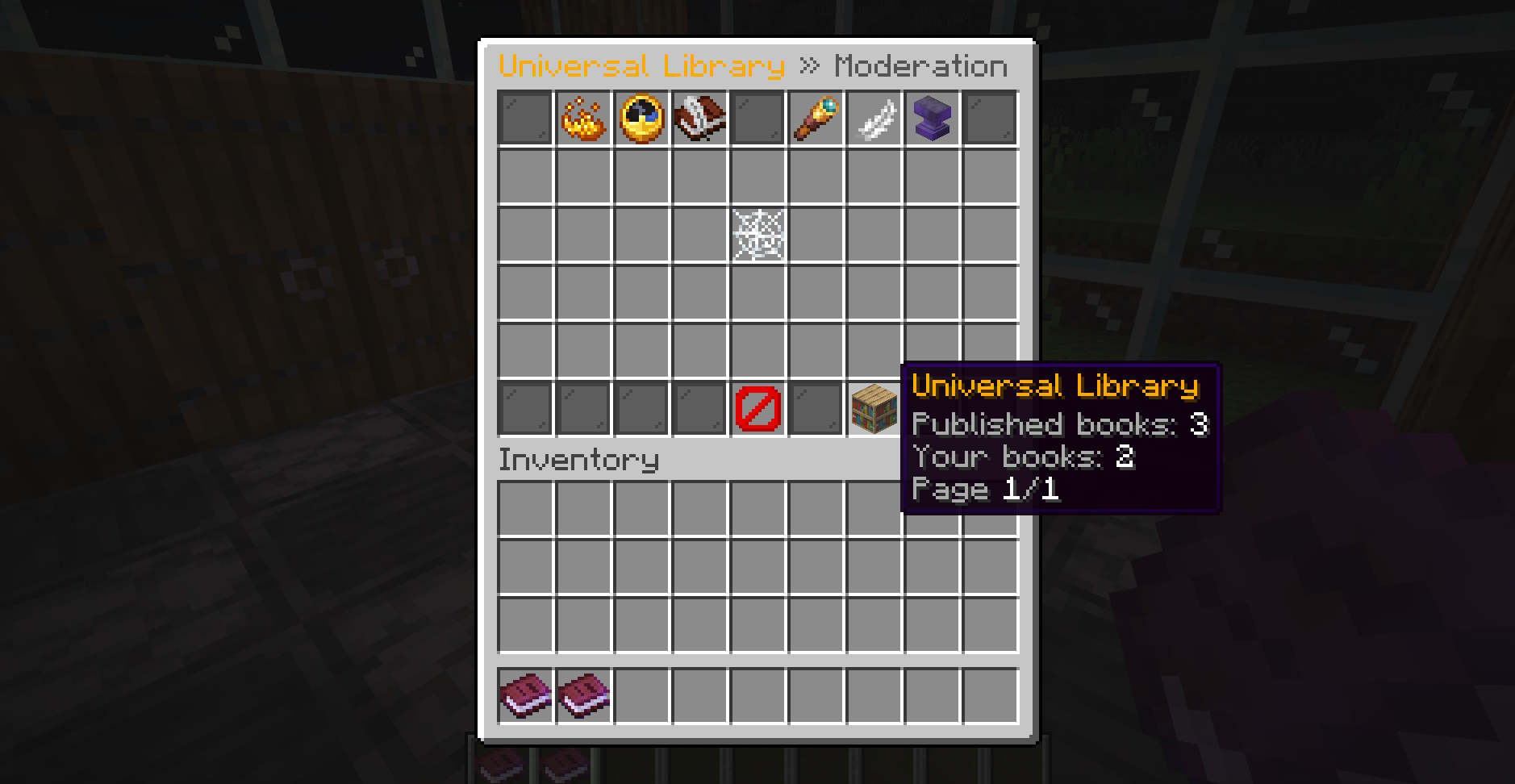
Staff moderate from a book's detail menu (click any book) or with /library admin. Menu actions need a shift-click to confirm. The Moderation tab lists every taken-down and banned book.
| State | Set by | In library | Author can edit | Undo |
|---|---|---|---|---|
| Published | Author or staff (restore) | Yes | Yes | — |
| Unpublished | Author | No | Yes; republishing shows it again | Author: Republish |
| Taken Down | Staff | No | Yes, but it stays hidden | Staff: Restore |
| Banned | Staff | No | No; can never be republished | Staff: Unban |
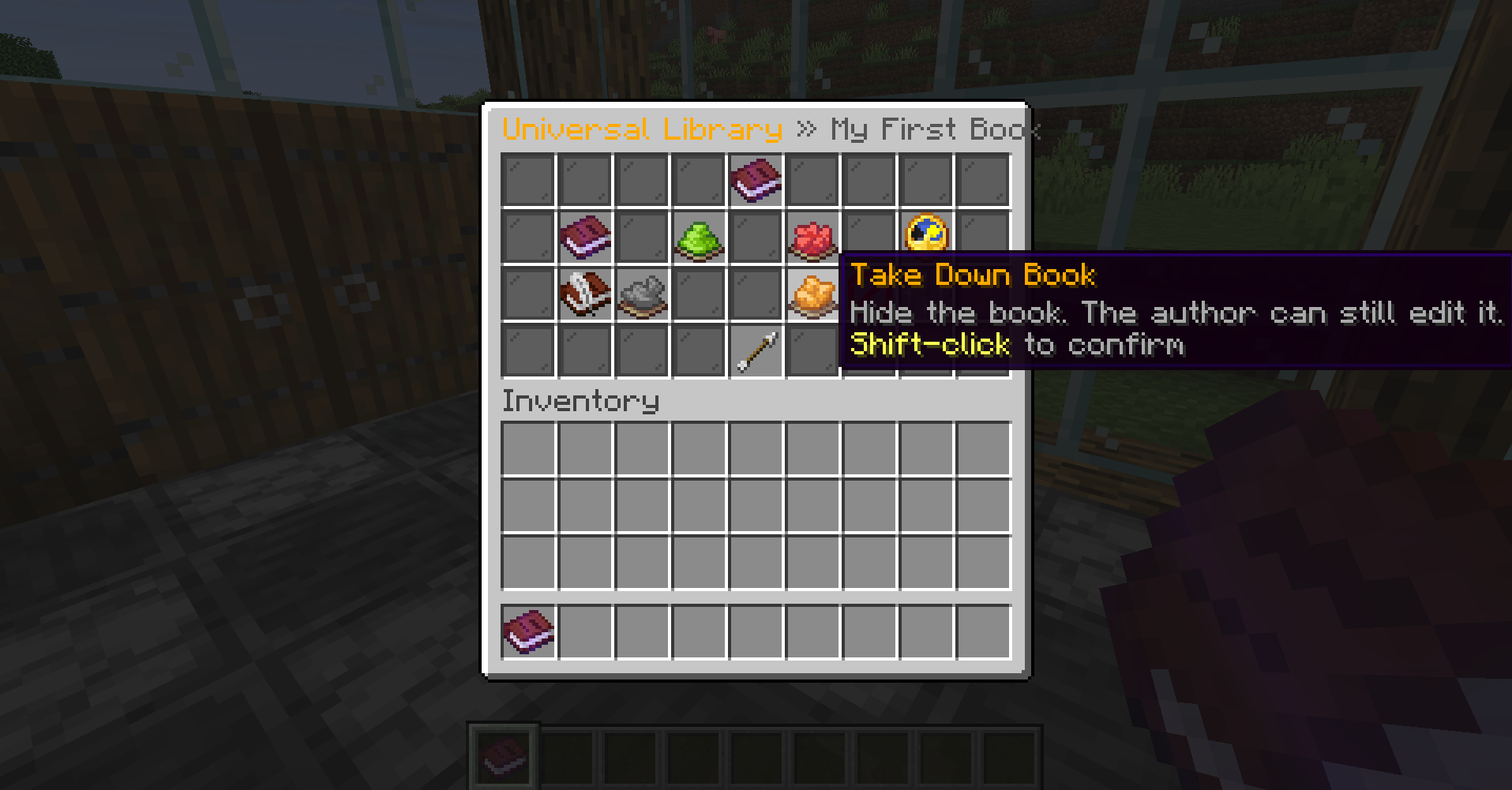
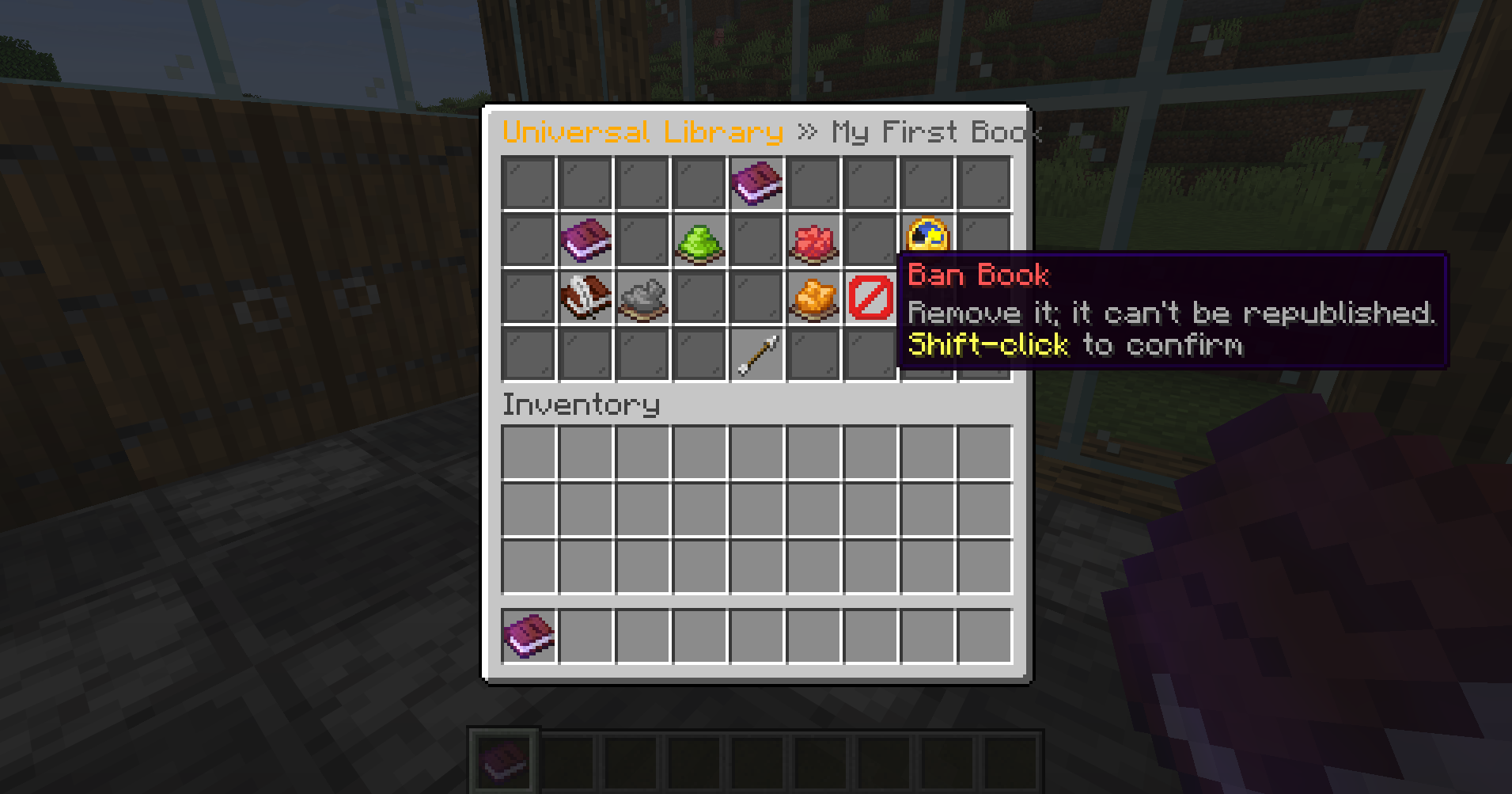
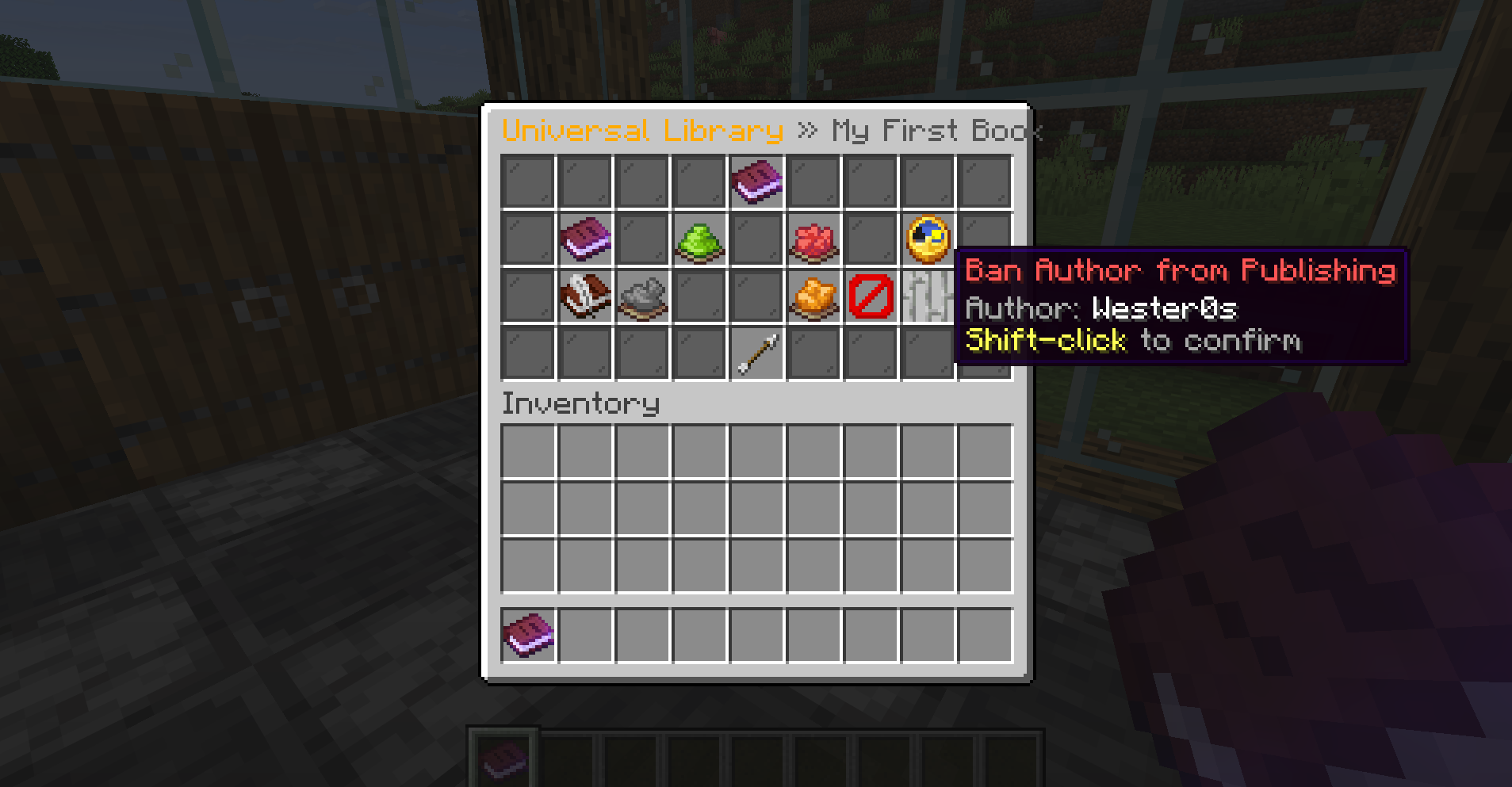
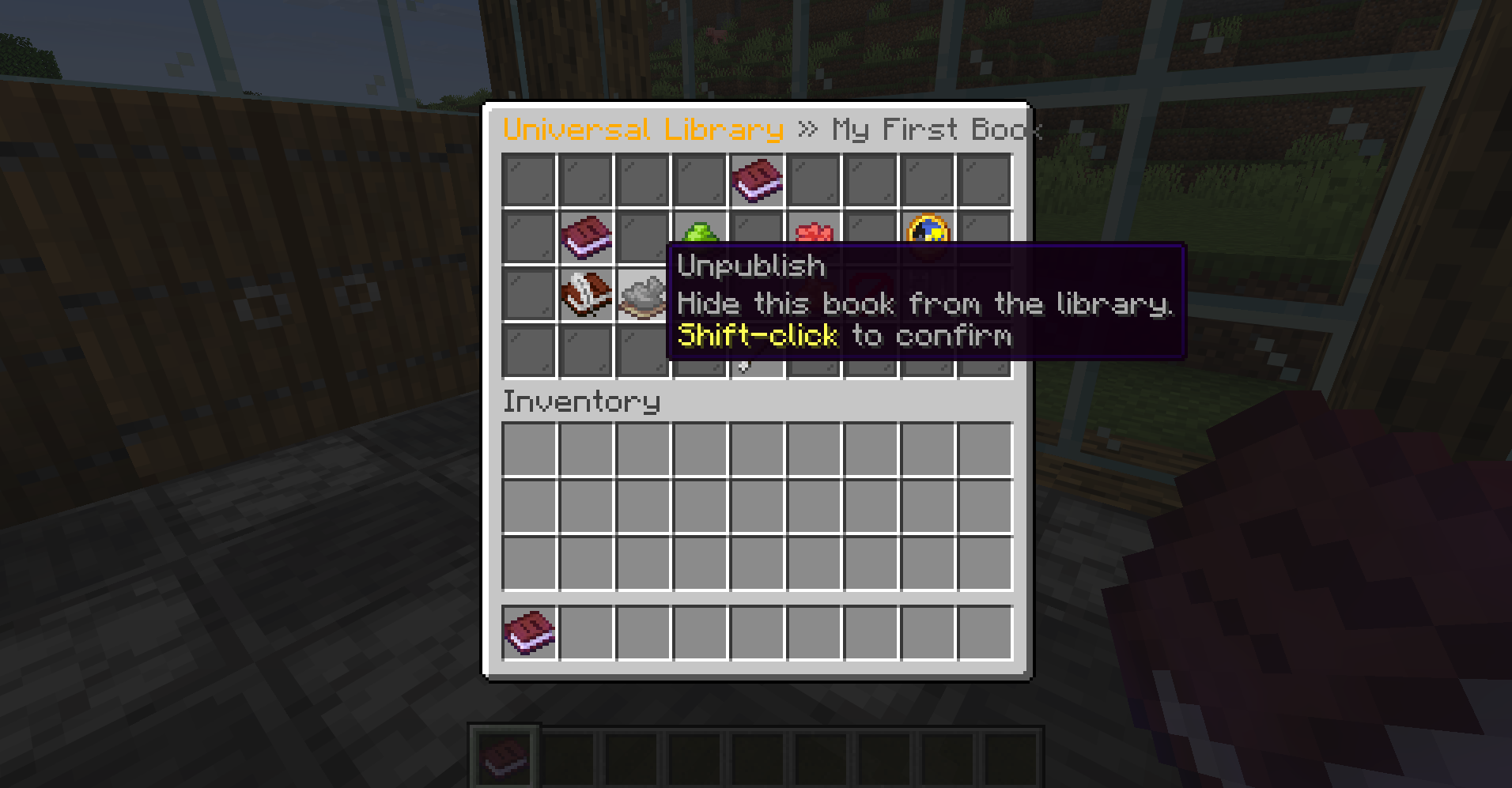
- Ban author stops a player from publishing or editing. Their existing books stay; take those down separately if needed.
- Delete erases a book, every version and every vote. It can't be undone, so prefer Take Down or Ban unless the content must be gone.
- Anonymous authors show as "Written by <name> (hidden)" to staff with
booksforall.admin.seeanonymous.
Online authors get a chat message with the reason when their book is taken down or banned.
Data & privacy
plugins/BooksForAll/library.db. Nothing is sent to any outside service, website or the plugin's author, and the plugin makes no network connections.
What is stored
| Data | Stored for | Who can see it |
|---|---|---|
| Title, organization, anonymous flag, status, dates | Each book | Everyone (hidden books: author and staff) |
| Author's Minecraft UUID and name | Each book | Everyone, unless anonymous. Anonymous: staff with booksforall.admin.seeanonymous and anyone with access to the file |
| Full text and title of every version | Each version | Everyone, while published |
| Votes: player UUID, up/down, time | Each vote | Nobody in-game; only totals are shown |
| Moderation reason | Taken-down and banned books | The author and staff |
| Author bans: UUID, name, reason, time | Each banned player | Staff |
The plugin does not store IP addresses, chat, location, play time or anything outside the library. Books made with Sign Without Publishing are normal Minecraft items and are never saved by the plugin.
Telling players
Players can run /library mydata to see exactly what the library holds about them. Consider noting on your rules page that anonymous hides names from players, not from server staff.
Deleting data
| Request | Command |
|---|---|
| Remove one book completely | /library admin delete <id> confirm |
| Remove everything about a player (books, versions, votes, author ban) | /library admin purgeplayer <player> confirm |
Both are immediate and permanent. Unpublishing or taking a book down only hides it, so use these when someone asks for their data to be erased.
Backups
Back up library.db with your worlds, ideally while the server is stopped. If you copy it while running, also copy library.db-wal and library.db-shm if present. The file opens in any SQLite viewer such as DB Browser for SQLite; don't edit it while the server runs.
Troubleshooting
/library says "Unknown command"
The player lacks booksforall.use, or the plugin didn't load. Check the console at startup for errors.
I renamed the command but it didn't change
Command name changes need a full restart, not /library reload.
Signing a book doesn't open the menu
The player lacks booksforall.publish (or booksforall.edit for library manuscripts), so the book signs normally.
A player closed the menu by accident
They run /library publish to reopen it, or sign the book again. Their text is never lost.
"Survival mode is on" when using /library write
Expected. Players must craft a Book and Quill. Staff can bypass with booksforall.bypass.survival.
"You need an empty Book and Quill" when editing
Survival mode is on. Carry an empty Book and Quill, or set edit-requires-book-and-quill: false.
Hot Topics is empty
Only books first published inside the chosen range appear. Try All Time, or lower hot.minimum-score.
A player can't vote on their own book
Expected. Turn on voting.allow-self-vote if you want it.
A message shows nothing
That message is blank in config.yml. A blank message is the way to silence one on purpose.
Colors show as <gold> text
A MiniMessage tag is misspelled or not closed.
Can players edit books after publishing?
Yes, only their own. Each republish is a new version and older versions stay readable.
Do votes reset when a book is updated?
No. Votes belong to the book, not to a version.
For developers
Other plugins can react to library changes through three Bukkit events, fired on the main thread after the change is saved. These are the hooks for a future website or wiki sync.
| Event | Fired when | Data |
|---|---|---|
BookPublishedEvent | A book or new version is published | Author, book, version, pages, first edition |
BookStatusChangeEvent | A book is unpublished, taken down, banned or restored | Book, old and new state, actor, reason |
BookDeletedEvent | A book is permanently deleted | Book, actor |
Each book also has an external_id field reserved for linking it to an outside website.